As a photographer and tech enthusiast with over a decade in the field, I’ve seen countless gadgets promise to revolutionize content creation. But few have delivered quite like the gimbal selfie stick. If you’re tired of shaky, unprofessional-looking videos and photos, this hybrid device is about to become your new best friend. It’s not just about extending your reach for the perfect group shot anymore; it’s about elevating your content to a whole new level of buttery-smooth, cinematic quality. Here at Spaod.com, we’re all about helping you find the right tools and master them, and the gimbal selfie stick is a powerhouse waiting to be unleashed.
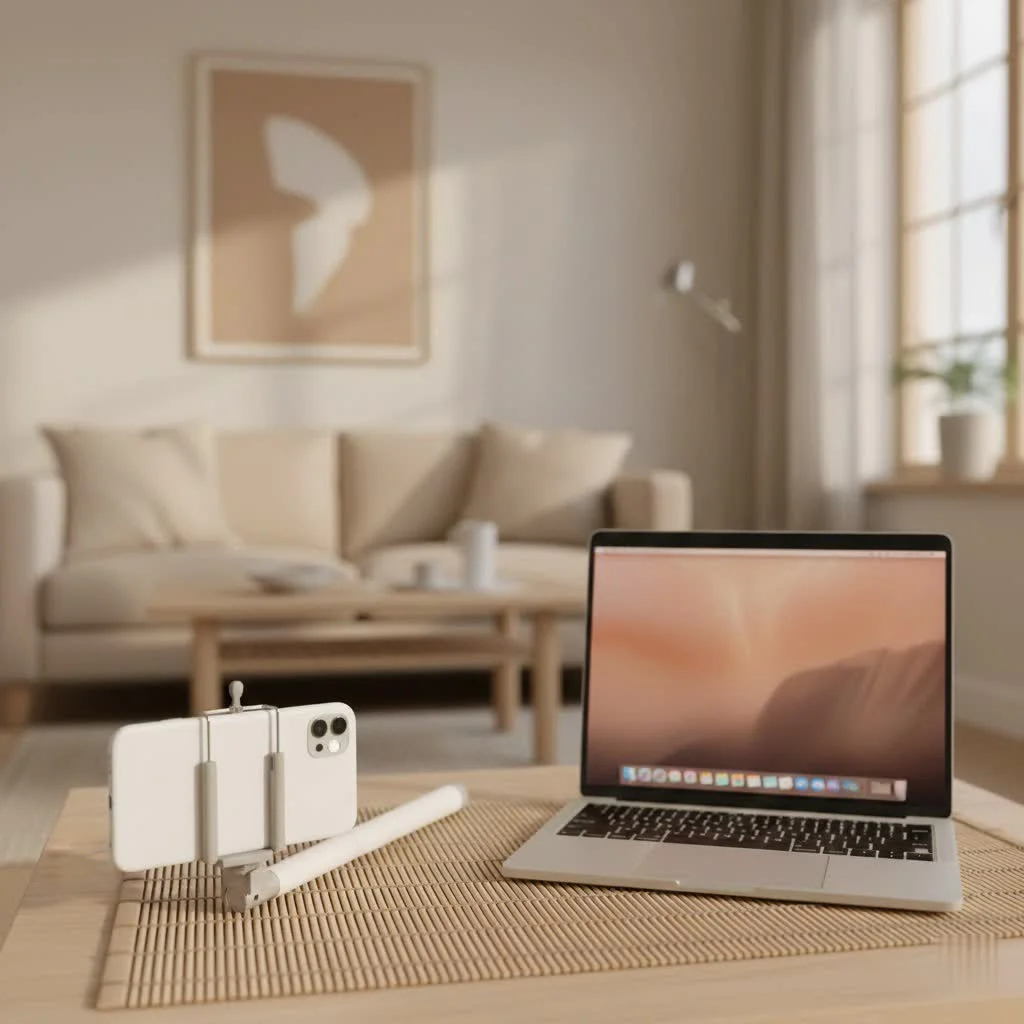
What Exactly is a Gimbal Selfie Stick? (And Why You Need One)
Let’s face it: the traditional selfie stick, while great for extending your reach, offers zero stabilization. Every step, every hand tremor, every gust of wind translates into a jarring, shaky mess in your footage. It’s like trying to hold a conversation while riding a rollercoaster – nearly impossible to stay steady.
Enter the gimbal selfie stick. This ingenious device marries the extendable arm of a classic selfie stick with the sophisticated stabilization technology of a gimbal. What does that mean for you? It means real-time, motorized stabilization that counteracts unwanted movements, delivering remarkably smooth video and blur-free photos. Think of it as having a mini Hollywood steady-cam right in your pocket. For vloggers, travelers, or anyone serious about their mobile videography, the difference is night and day. It transforms chaotic handheld shots into polished, watchable content, making it an indispensable tool for modern content creators.
The Tech Behind the Magic: How Gimbal Selfie Sticks Work
At its heart, a gimbal selfie stick employs a series of brushless motors and advanced sensors to detect and compensate for motion. This isn’t just digital wizardry; it’s a mechanical marvel. Most consumer-grade gimbals for smartphones feature either 2-axis or 3-axis stabilization.
- 2-Axis Stabilization: Primarily stabilizes against pitch (up and down tilt) and roll (side-to-side rotation). This is a good starting point for reducing basic shakes.
- 3-Axis Stabilization: The gold standard, adding stabilization against yaw (left and right pan). A 3-axis gimbal offers superior fluidity, making your footage look like it was shot on a professional dolly, even when you’re walking, running, or navigating uneven terrain.
The device constantly reads its orientation and swiftly adjusts your phone’s position on its motorized axes to keep it level and steady, no matter how much your hand moves. This real-time correction is what eliminates those annoying jitters and allows for incredibly smooth pans, tilts, and tracking shots.
Key Features to Look for in Your Next Gimbal Selfie Stick
Choosing the right gimbal selfie stick can feel like a quest, with so many options promising the world. Based on my experience and extensive testing, here are the crucial features that truly matter:
Stabilization Power: 2-Axis vs. 3-Axis
|
Our Picks for the Best Selfie Stick in 2026
As an Amazon Associate I earn from qualifying purchases.
|
||
| Num | Product | Action |
|---|---|---|
| 1 | Selfie Stick Travel Tripod for Cell Phone with Remote Control and Phone Holder, Extendable Selfie Stick for iPhone, iPhone Tripod for Video Recording, 50 Inch, Black |

|
| 2 | Phone Tripod & Selfie Stick with Remote, Portable, Lightweight for Video Recording Vlog, Extendable Travel Tripod Stand Compatible with iPhone Android, Black, 62\" |
|
| 3 | TONEOF 68\" Magnetic Selfie Stick Tripod with Aluminum Strong Magnetic Holder for Magsafe, 360° Rotatable Travel Phone Tripod Stand with Metal Ring & Rechargeable Remote for iPhone/Android(Black) |
|
| 4 | ATUMTEK Selfie Stick Tripod, 3-in-1 Extendable Aluminum Phone Tripod with Detachable Bluetooth Remote, Compatible with iPhone 17/16/15/14/13/12/11/11 Pro/XS Max/XR and Samsung Smartphones, Black |
|
| 5 | ULANZI SK27 Extendable Phone Tripod, 61\" Selfie Stick for iPhone, 2 in 1 Adjustable Tripod with Bluetooth Remote Cold Shoe Mount, Portable Phone Stand Lightweight for Travel Photo Video Stream Vlog |
|
| 6 | Phone Tripod Stand with Bluetooth Remote, Selfie Stick for iPhone & Android, One-Click Open Portable Lightweight Tripod for Vlog Travel Photography (White) |
|
| 7 | TONEOF 68\" Magnetic Selfie Stick Tripod with Aluminum Strong Magnetic Holder for Magsafe, 360° Rotatable Travel Phone Tripod Stand with Metal Ring & Rechargeable Remote for iPhone/Android(Beige Gray) |
|
| 8 | LỖI |
|
| 9 | MAGIC JOHN Phone Tripod, Portable Selfie Stick, Pocket Size Tripod for iPhone, Selfie Stick with Detachable Remote Control & 2 Fill Light for Photograph, Live Streaming, Video Recording |
|
| 10 | SelfieShow Selfie Stick, Extendable Selfie Stick Tripod with Wireless Remote and Tripod Stand, Portable, Lightweight, Compatible with iPhone 15 14 13 12 Pro Xs Max X 8Plus, Samsung Smartphone and More |
|
For the most professional results, a 3-axis gimbal is almost always the way to go. It offers comprehensive stabilization, ensuring your footage remains smooth across all planes of motion. However, for casual use or if you primarily shoot static vlogs with minimal movement, a well-built 2-axis model can still offer a significant upgrade over no stabilization at all. Think about your typical shooting scenarios: lots of walking and dynamic movement? Go 3-axis. Mostly stationary shots with occasional movement? A strong 2-axis might suffice.
Portability & Design: Your Travel Companion
The best gimbal selfie stick is one you’ll actually carry. Look for foldable, lightweight, and compact designs. Many modern gimbals collapse down to a remarkably small size, easily fitting into a small bag or even a large pocket. Materials like aluminum are common, offering a good balance of durability and weight, while carbon fiber models provide premium lightness at a higher cost. Quick deployment is also a huge plus – no one wants to miss a moment fumbling with setup.
Built-in Extension & Tripod: The Ultimate Versatility
Many top-tier gimbal selfie sticks now come with an integrated telescopic extension rod and pop-out tripod legs. This is a game-changer! It means you get the extended reach for wide-angle selfies and group shots, plus the stability of a tripod for static shots, time-lapses, or hands-free vlogging – all in one device. This dual functionality can eliminate the need to carry multiple accessories, simplifying your gear setup.
Smart Features: Beyond Basic Stabilization
Modern gimbal selfie sticks are packed with intelligent features that enhance your creative possibilities:
- AI Tracking/Subject Tracking: This allows the gimbal to automatically follow a designated subject (like your face or an object) as it moves, keeping it perfectly framed. It’s incredibly useful for solo content creators.
- Gesture Control: Imagine starting and stopping recording or switching modes with a simple hand gesture. Many gimbals offer this intuitive control.
- App Integration: A dedicated companion app often unlocks advanced shooting modes (e.g., Dolly Zoom, Panorama, Spin Shot, Time-Lapse, Hyperlapse) and provides fine-tuned control over gimbal settings.
- Creative Filming Modes: Pre-programmed modes can help you achieve complex camera movements with ease, adding a professional flair to your videos without extensive post-production.
Battery Life: Powering Your Adventures
Nobody wants a dead gimbal mid-shoot. Consider the advertised battery life, especially if you plan long shooting sessions or travel where charging might be limited. Runtimes often range from 5 to 12 hours, with some even offering power bank functionality to charge your phone while shooting.
Compatibility: Your Device Matters
Ensure the gimbal is compatible with your specific smartphone, considering its size, weight, and even camera bump. Most gimbals can accommodate a wide range of phones, but always double-check the maximum load capacity and clamp dimensions. Some also offer magnetic mounting systems for quick attachment and detachment.
Build Quality & Durability: A Long-Term Investment
A well-built gimbal selfie stick will withstand the rigors of travel and frequent use. Look for robust construction, secure locking mechanisms, and smooth motor movements. While budget options exist, investing a little more often pays off in terms of longevity and performance.
Connectivity: Expand Your Setup
Check for cold shoe mounts or ¼-inch screw threads if you plan to attach external accessories like LED lights, microphones, or even additional camera gear. Bluetooth connectivity for remote control is also a standard and highly useful feature.
Choosing Your Perfect Gimbal Selfie Stick: A Buyer’s Guide
Selecting the right gimbal selfie stick depends heavily on your individual needs and creative aspirations. Here’s how to navigate the choices:
Identify Your Primary Use
- For the Everyday Vlogger: If your main goal is smooth, engaging vlogs, prioritize 3-axis stabilization, reliable AI tracking, and excellent battery life. Quick deployment and seamless app integration will streamline your workflow.
- For the Serious Traveler: Portability is key. Look for a lightweight, ultra-compact, and foldable design with a built-in extension and tripod. Long battery life and robust build quality for durability on the road are also essential.
- For the Casual Creator/Social Media Enthusiast: If you’re mainly looking to elevate your TikToks or Instagram Reels, a more budget-friendly 2-axis gimbal with an integrated stick and basic smart features might be sufficient. Focus on ease of use and quick setup.
- For Action & Adventure: While gimbals improve stability, dedicated action cameras often have superior in-body stabilization for extreme sports. However, a gimbal can further enhance footage, especially for follow-cam shots. Ensure it’s rugged and can handle your action camera if that’s your primary device.
Consider Your Device
While most modern gimbal selfie sticks are designed for smartphones, some can also accommodate smaller action cameras. Always verify the maximum supported weight and dimensions to ensure a secure fit for your specific phone model (e.g., iPhone 16 Pro Max, Samsung Galaxy Ultra S24, etc.).
Budget vs. Features: What’s Worth the Investment?
Gimbal selfie sticks range in price. Cheaper models might offer basic stabilization, while premium options come with advanced tracking, superior build quality, and extensive app features. Determine your budget, but remember that investing in a higher-quality gimbal often provides a more satisfying and frustration-free experience, particularly for video-centric creators. You’re paying for smoother results, more reliable performance, and a wider array of creative tools.
Mastering Your Gimbal Selfie Stick: Pro Tips for Stunning Shots
Owning a gimbal selfie stick is just the first step; mastering it is where the magic truly happens. Here are some pro tips I’ve gathered over the years to help you capture breathtaking content:
Balancing Your Device: The Crucial First Step
Before powering on your gimbal, ensure your smartphone is properly balanced in the clamp. This minimizes strain on the motors, extends battery life, and ensures optimal stabilization. Most gimbals have a sliding arm for fine-tuning the balance. Spend a minute getting this right every time you mount your phone.
Utilizing Smart Modes: Unleash Your Creativity
Don’t just use your gimbal for simple static shots. Dive into its companion app and experiment with the intelligent shooting modes:
- AI Tracking: Engage this feature to keep yourself or a subject perfectly centered while you move freely. It’s fantastic for solo vlogging or capturing dynamic events.
- Panorama: Capture expansive landscapes with perfectly stitched, sweeping panoramas.
- Time-Lapse/Hyperlapse: Condense long periods into captivating short videos. Hyperlapse adds smooth movement to your time-lapses.
- Inception Mode (Spin Shot): Create dramatic, rotating shots that add a cinematic flair.
Smooth Camera Movements: Practice Makes Perfect
A gimbal’s true power lies in its ability to facilitate fluid camera movements. Practice these techniques:
- The “Ninja Walk”: Bend your knees slightly and walk heel-to-toe to minimize body bounce, allowing the gimbal to do its best work.
- Slow & Steady Pans: Smoothly rotate the gimbal horizontally for cinematic landscape reveals or to follow a subject.
- Gentle Tilts: Slowly angle the gimbal up or down to reveal details or change perspective.
- Dolly Shots: Walk forwards or backwards with the gimbal to create dynamic entry or exit shots, maintaining smooth motion.
“The key to truly stunning video isn’t just about eliminating shake; it’s about intentional, flowing movement that guides the viewer’s eye. A well-utilized gimbal transforms chaos into choreography.” – Anya Petrova, Lead Videographer at Spaod.com.
Lighting and Audio Integration: Elevate Your Production Value
While your gimbal handles stabilization, don’t neglect lighting and audio. Many gimbal selfie sticks feature cold shoe mounts or additional screw threads. Use these to attach compact LED lights for better illumination, especially in low-light conditions, and external microphones for crisp, clear audio. Good sound can make or break your video, even with perfectly smooth visuals.
Practice, Experiment, Learn: Find Your Style
The more you use your gimbal selfie stick, the more intuitive it becomes. Experiment with different angles, movements, and modes. Watch tutorials, get inspired by other creators, and don’t be afraid to try new things. The goal is to make the gimbal an extension of your creative vision, not a complicated tool.
Maintenance and Care for Longevity
To ensure your gimbal selfie stick serves you well for years, a little care goes a long way:
- Keep it Clean: Regularly wipe down the device with a soft, dry cloth. Avoid getting dust or sand into the motor areas.
- Battery Care: Charge the battery fully before use and try not to let it completely drain often. For long-term storage, charge it to about 60-70%.
- Proper Storage: When not in use, fold your gimbal and store it in its protective pouch or case to prevent damage. Avoid placing heavy objects on top of it.
- Firmware Updates: Periodically check the manufacturer’s app for firmware updates, which can improve performance, add new features, and fix bugs.
FAQ
Q: Can a gimbal selfie stick replace my regular selfie stick and tripod?
A: In most cases, yes! Modern gimbal selfie sticks with built-in extension poles and tripod legs are designed to be multi-functional, effectively replacing both traditional selfie sticks for extended reach and mini-tripods for stable static shots. They offer superior video stabilization that neither a regular selfie stick nor a basic tripod can provide.
Q: Are 2-axis gimbals good enough for casual users?
A: For casual users primarily shooting static selfies or light walking footage, a good 2-axis gimbal can offer noticeable improvement in smoothness, especially against pitch and roll. However, for truly cinematic and professional-looking video, particularly with more dynamic movement or running, a 3-axis gimbal is significantly superior.
Q: How do I know if my phone is compatible?
A: Always check the manufacturer’s specifications for maximum phone weight and dimensions (length, width, and thickness). Most current models accommodate a wide range of smartphones, including larger flagships like the latest iPhones and Samsung Galaxy Ultras. Some also mention specific compatibility with certain phone cases.
Q: What’s the best length for a gimbal selfie stick?
A: The “best” length depends on your usage. For group photos and wider angles in selfies, an extension of 30-60cm (1-2 feet) is often ideal. For creative “drone-like” or high-angle shots, longer extensions (up to 100cm or more) are beneficial. However, remember that longer sticks can be less stable and harder to manage, especially in windy conditions. Many popular models offer a good balance of portability when collapsed and decent extension when fully extended.
Q: How important is the companion app?
A: The companion app is crucial for unlocking the full potential of your gimbal selfie stick. It’s often where you’ll find advanced features like AI tracking, gesture controls, creative shooting modes (time-lapse, panorama), and firmware updates. While basic stabilization might work without the app, you’d be missing out on many of the intelligent functions that make these devices so powerful.
Conclusion
The gimbal selfie stick is more than just a gadget; it’s a transformative tool for anyone looking to create high-quality, professional-grade content with their smartphone. From eliminating shaky footage in your travel vlogs to capturing stunningly smooth group photos, its ability to combine reach with advanced stabilization is unparalleled. By understanding its features, choosing wisely based on your needs, and mastering its capabilities, you’ll unlock a new realm of creative possibilities. So, go ahead, elevate your content, and share your smooth, cinematic stories with the world. Your audience will thank you for it!
Get our weekly buyer guide
Practical specs, not advice. Unsubscribe anytime.

I was so tired of my travel videos looking like an earthquake hit! This guide really helped me understand the difference a gimbal makes. I picked up the DJI Osmo Mobile 6 after reading about its compact design and quick setup, and wow, what a game-changer. My footage from my last trip to Italy looks incredibly smooth, almost professional. Definitely worth the investment if you’re serious about your mobile videography.
Finally, a clear explanation of why a gimbal is essential for mobile content creators! I’ve been on the fence about upgrading from my old selfie stick, but the examples of cinematic smoothness convinced me. I ended up getting the Insta360 Flow, and the deep tracking feature is mind-blowing. It keeps me perfectly in frame even when I’m moving around a lot. My vlogs have never looked better!
I’ve been using a basic selfie stick for years, mostly for group photos. The section on how a gimbal counteracts shaky footage really resonated with me. I got a more budget-friendly model, the Hohem iSteady X, and it’s been pretty good. The stabilization is a huge upgrade, but sometimes the app can be a little finicky to connect. Still, for the price, it’s hard to beat the improved video quality.
I was excited to try out a gimbal selfie stick after seeing how much it could improve video quality. I went with one of the mid-range options, the Zhiyun Smooth 5, because it seemed to offer a good balance of features. While the stabilization is good, I found it a bit heavier than I expected, which makes it a little tiring to hold for long periods. It’s great for short clips, but I wish it was lighter for extended use.