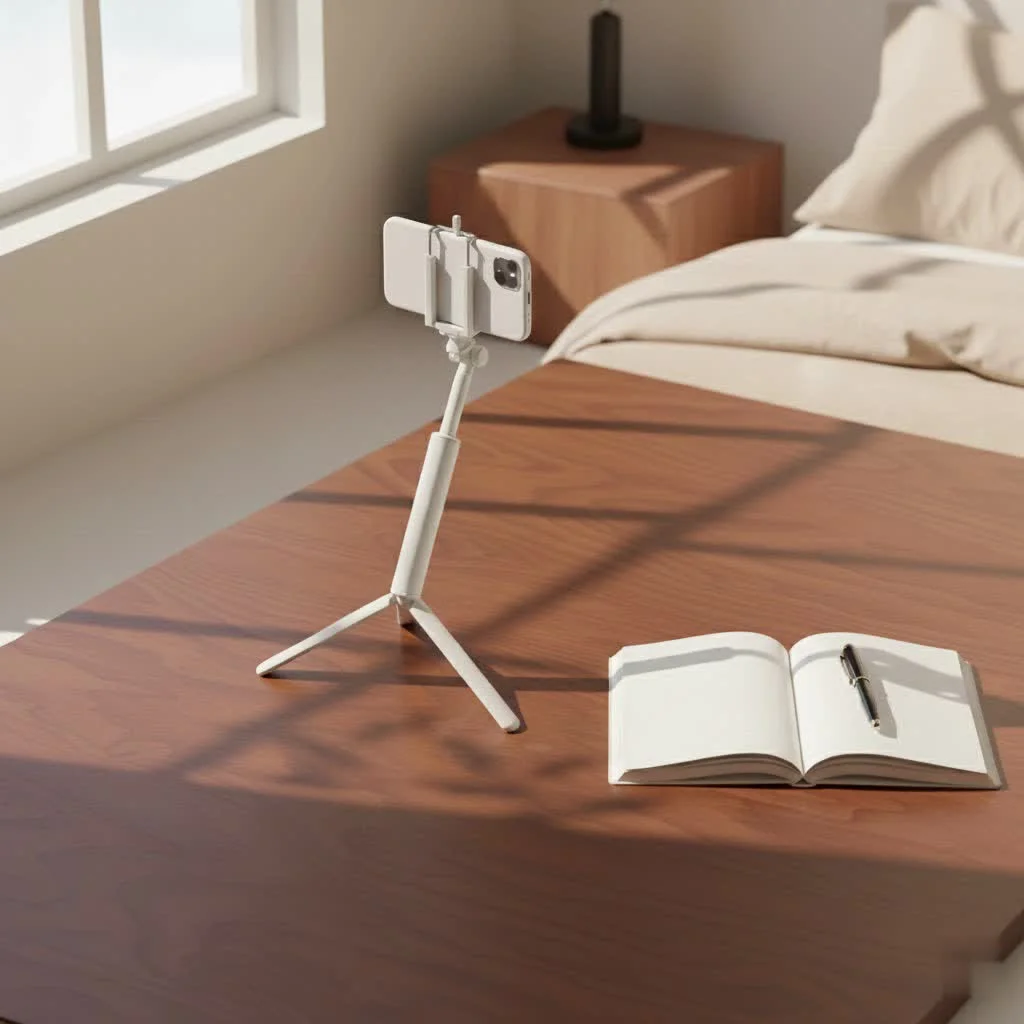
A wireless selfie stick enhances mobile photography by extending reach, enabling wider angles, and offering hands-free shooting via a Bluetooth remote, transforming casual snaps into polished productions. These devices typically combine an extendable pole, foldable tripod legs, and a detachable remote, providing adaptability for various content creation needs. With over a decade of experience in camera gear, I’ve seen how these tools democratize photography, allowing users to capture stunning photos and videos with unparalleled flexibility.
Why a Wireless Selfie Stick is a Game-Changer for Modern Photography
Gone are the days of awkwardly stretching your arm, cutting off half your friends, or relying on strangers to snap your epic travel moments. A quality wireless selfie stick revolutionizes how we capture memories and create content. It extends your reach, literally, allowing for wider angles that include more of the breathtaking scenery behind you or fit the entire group into a single frame. The magic, of course, lies in its wireless functionality. With a Bluetooth remote, you’re free to compose your shot, step back, and trigger the shutter with a click, offering unparalleled flexibility for hands-free shooting, vlogging, and stable long-exposure photos when combined with a tripod. It truly transforms casual snaps into polished productions.
Decoding the Wireless Selfie Stick: Types and Key Features
The market is flooded with options, but understanding the core components and features will help you distinguish between a fleeting gadget and a reliable tool for your creative arsenal.
The All-in-One Wonders: Selfie Stick, Tripod, and Remote
The most popular and versatile type you’ll encounter is the 3-in-1 wireless selfie stick. These ingenious devices combine an extendable pole, foldable tripod legs, and a detachable Bluetooth remote. This combination provides incredible adaptability, allowing you to quickly switch from a handheld selfie extension to a stable freestanding tripod for group shots, time-lapses, or video calls.
Beyond the Basics: Advanced Features to Look For
When you’re ready to invest, here’s what truly sets a great wireless selfie stick apart:
- Reliable Bluetooth Remote: Look for a remote that’s easy to pair, has a decent operating range (typically 25-30 feet or 7-10 meters), and offers good battery life, often rechargeable. Some remotes even allow you to switch between photo and video modes seamlessly.
- Sturdy & Extendable Pole: The material makes a huge difference. Opt for aviation-grade aluminum alloy or stainless steel over flimsy plastic for durability and stability. Check both the folded length (for portability) and the maximum extension (for wider shots). A longer pole provides more creative angles, but ensure it remains stable when fully extended.
- Secure Phone Clamp/Holder: This is non-negotiable. Your phone’s safety depends on it. A strong, non-slip clamp that securely grips your device is essential. Look for features like 360-degree rotation and adjustable tilting for optimal angles, with screw-tightened mechanisms often offering superior security compared to spring-based ones, especially for heavier phones.
- Integrated Tripod: If your wireless selfie stick doubles as a tripod, ensure the legs are stable and have anti-slip pads. The transition from stick to tripod should be quick and effortless.
- Durability: As someone who’s put countless sticks through their paces, I can tell you that build quality is paramount. A good stick should feel robust, withstand minor bumps, and securely hold your device without wobble, even during vigorous use.
- Gimbal Stabilization: For serious videographers, some high-end wireless selfie sticks integrate a gimbal stabilizer. This feature automatically corrects camera shake, ensuring buttery-smooth footage even when you’re moving, adding a professional touch to your videos.
- Compatibility: Most wireless selfie sticks are designed for universal smartphone compatibility (iPhone and Android). However, if you plan to use it with a GoPro or a small mirrorless camera, ensure it has a standard 1/4-inch screw mount.
Your Guide to Choosing the Perfect Wireless Selfie Stick
Picking the right wireless selfie stick isn’t just about grabbing the first one you see. It’s about matching the tool to your unique creative journey.
Assess Your Needs: Photographer, Vlogger, or Casual User?
|
Our Picks for the Best Selfie Stick in 2026
As an Amazon Associate I earn from qualifying purchases.
|
||
| Num | Product | Action |
|---|---|---|
| 1 | MAGIC JOHN Phone Tripod, Portable Selfie Stick, Pocket Size Tripod for iPhone, Selfie Stick with Detachable Remote Control & 2 Fill Light for Photograph, Live Streaming, Video Recording |

|
| 2 | Phone Tripod Stand with Bluetooth Remote, Selfie Stick for iPhone & Android, One-Click Open Portable Lightweight Tripod for Vlog Travel Photography (White) |
|
| 3 | ULANZI SK27 Extendable Phone Tripod, 61\" Selfie Stick for iPhone, 2 in 1 Adjustable Tripod with Bluetooth Remote Cold Shoe Mount, Portable Phone Stand Lightweight for Travel Photo Video Stream Vlog |
|
| 4 | Phone Tripod & Selfie Stick with Remote, Portable, Lightweight for Video Recording Vlog, Extendable Travel Tripod Stand Compatible with iPhone Android, Black, 62\" |
|
| 5 | ATUMTEK Selfie Stick Tripod, 3-in-1 Extendable Aluminum Phone Tripod with Detachable Bluetooth Remote, Compatible with iPhone 17/16/15/14/13/12/11/11 Pro/XS Max/XR and Samsung Smartphones, Black |
|
| 6 | TONEOF 68\" Magnetic Selfie Stick Tripod with Aluminum Strong Magnetic Holder for Magsafe, 360° Rotatable Travel Phone Tripod Stand with Metal Ring & Rechargeable Remote for iPhone/Android(Black) |
|
| 7 | Selfie Stick Travel Tripod for Cell Phone with Remote Control and Phone Holder, Extendable Selfie Stick for iPhone, iPhone Tripod for Video Recording, 50 Inch, Black |
|
| 8 | LỖI |
|
| 9 | SelfieShow Selfie Stick, Extendable Selfie Stick Tripod with Wireless Remote and Tripod Stand, Portable, Lightweight, Compatible with iPhone 15 14 13 12 Pro Xs Max X 8Plus, Samsung Smartphone and More |
|
| 10 | TONEOF 68\" Magnetic Selfie Stick Tripod with Aluminum Strong Magnetic Holder for Magsafe, 360° Rotatable Travel Phone Tripod Stand with Metal Ring & Rechargeable Remote for iPhone/Android(Beige Gray) |
|
Before diving into specs, ask yourself: what will you use it for most? If you’re a casual snapper, a basic, reliable stick with a good remote and sturdy clamp will do. For vloggers or content creators, features like a stable tripod, longer extension, and even gimbal stabilization become invaluable for cinematic quality. Travelers might prioritize compact size and robust build to withstand adventures.
Material Matters: Durability and Stability
As a rule of thumb, avoid cheap plastic sticks. They bend, they wobble, and worst of all, they can drop your phone. Invest in models made from aluminum alloy or stainless steel. These materials offer superior strength, rigidity, and longevity, ensuring your phone stays safe and your shots remain steady.
Extension & Portability: Finding the Right Balance
A great wireless selfie stick is both compact when folded and extends to a useful length. Think about where you’ll carry it. Can it slip into a small bag or even a pocket? When extended, does it give you enough reach for sweeping landscapes or full-body group shots? For most users, a stick that extends to at least 25-30 inches (60-75 cm) provides ample versatility.
The Remote Control: Connectivity and Battery Life
The wireless remote is the heart of a “wireless” selfie stick. Check its Bluetooth range – you want enough distance to step back for wider compositions. Consider if the remote is detachable; this is a huge plus for tripod use. And don’t forget battery life; a long-lasting, easily rechargeable remote means fewer missed shots.
Clamp Security: Protecting Your Precious Phone
I’ve seen too many close calls. A secure phone clamp is paramount. Look for strong spring-loaded mechanisms or, even better, screw-tightened holders that provide a firm, unyielding grip on your device. Ensure it accommodates your phone’s size, even with a case on. A 360-degree rotating head is also crucial for switching between portrait and landscape orientations without dismounting your phone.
Bonus Features: Gimbals, Lights, and More
Some wireless selfie sticks come with extras that can significantly enhance your content. Integrated LED fill lights can brighten up low-light selfies, while a built-in gimbal stabilizer elevates your video quality, making shaky footage a thing of the past. These add-ons are often worth the extra cost if they align with your creative goals.
Master Your Wireless Selfie Stick: Tips for Stunning Photos & Videos
Having the right gear is only half the battle. Knowing how to use it effectively transforms your content from ordinary to extraordinary.
Seamless Pairing: Getting Connected
Most wireless selfie sticks pair via Bluetooth. First, ensure your phone’s Bluetooth is on. Then, activate the remote’s pairing mode (usually by holding a button until a light flashes). Your phone should detect it as “Selfie Stick” or a similar name. Tap to connect, and you’re good to go! If you encounter issues, refer to the troubleshooting section.
Angle & Composition: Beyond the Arm’s Length
The extended reach of a wireless selfie stick opens up new compositional possibilities. Instead of just a close-up, experiment with high-angle shots for unique perspectives or lower angles to capture more of your surroundings. Use the stick’s rotation capabilities to frame your subjects perfectly, whether it’s a bustling city street or a serene natural landscape.
Harnessing the Tripod Mode for Stability
This is where the versatility truly shines. Deploy the tripod legs, extend the pole to your desired height, and use the remote for hands-free shooting. This is perfect for:
- Group photos: Everyone gets in the frame, no one is behind the camera.
- Time-lapses: Capture slow-moving events with absolute stillness.
- Long exposures: Achieve creative effects in low light (with the right phone camera settings).
- Video calls/Vlogging: Present yourself professionally and consistently.
Light Up Your Shot: Natural Light and Accessories
Good lighting is the secret sauce to great photos. Whenever possible, utilize natural light. Position yourself so the light source (sun, window) illuminates your face evenly. If your stick has a built-in light, use it subtly to fill shadows. For more advanced setups, consider attaching a small LED panel to enhance your video quality.
Smooth Moves: Vlogging and Dynamic Shots
For video content, fluidity is key. If your stick doesn’t have a gimbal, practice smooth, deliberate movements. Walk slowly, pivot from your core, and avoid jerky motions. The remote allows you to start and stop recording without touching your phone, eliminating those awkward “reaching for the screen” moments. Experiment with 360-degree rotations for dynamic reveals in your vlogs.
Troubleshooting Common Wireless Selfie Stick Issues
Even the best gear can sometimes act up. Don’t let minor hiccups derail your shoot. Here are quick fixes for common problems:
Remote Not Responding?
- Check the Battery: This is the most common culprit. Many remotes use small coin-cell batteries (CR2032) or are rechargeable. Ensure it’s charged or replace the battery.
- Re-pair the Device: Go to your phone’s Bluetooth settings, “forget” or “unpair” the selfie stick, then repeat the pairing process from scratch.
- Physical Damage: Inspect the remote for any visible damage or debris in the button mechanism.
- Software Glitch: Sometimes, a simple restart of both your phone and the selfie stick remote can resolve a temporary glitch.
Connection Glitches?
- Bluetooth Enabled & Visible: Ensure Bluetooth is turned on both your phone and the selfie stick, and that the remote is in pairing mode.
- Device Compatibility: While most are universal, double-check if your phone’s Bluetooth version is compatible with the selfie stick.
- Camera App Settings: On some Android phones, the volume button function in the camera app might be set to zoom instead of shutter. Navigate to
Settings > Camera > Volume Button Functionand set it toShutter. - Interference: Try turning Airplane mode on and off briefly to reset wireless signals, which can help with interference.
- Third-Party Apps: If you’re using a third-party camera app, try switching back to your phone’s native camera app to see if the problem persists.
Expert Insight: Elevating Your Selfie Game
“A wireless selfie stick is more than just an extension; it’s an invitation to explore new perspectives. Don’t just take a photo; craft a scene. Use the freedom of the remote to become a part of your story, not just the one holding the camera.” – Elara Vance, Senior Content Creator at Spaod.com.
Frequently Asked Questions (FAQ)
Q: How do I connect my wireless selfie stick to my phone?
A: Turn on Bluetooth on your phone and the selfie stick remote. Put the remote into pairing mode (usually by holding a button). Select the selfie stick from your phone’s Bluetooth device list to connect.
Q: What is the typical range of a wireless selfie stick remote?
A: Most Bluetooth selfie stick remotes operate reliably within a range of 25 to 30 feet (7 to 10 meters), offering plenty of distance for various shots.
Q: Can I use a wireless selfie stick with both iPhone and Android phones?
A: Yes, the vast majority of wireless selfie sticks use universal Bluetooth connectivity and are compatible with both iPhone and Android smartphones.
Q: My wireless selfie stick remote isn’t working. What should I do?
A: First, check the remote’s battery. If it’s charged, try re-pairing it with your phone by forgetting the device in Bluetooth settings and reconnecting. Also, ensure your camera app’s volume button setting is for the shutter.
Q: Are wireless selfie sticks allowed everywhere?
A: While generally accepted, some crowded tourist attractions, museums, or events may prohibit selfie sticks for safety or privacy reasons. It’s always a good idea to check local regulations or venue rules if you’re unsure.
Q: Can I use a wireless selfie stick for stable video recording?
A: Yes, especially if your wireless selfie stick includes a tripod function. Set it up on a stable surface, extend the pole, and use the remote to record smooth, steady video hands-free. Some advanced models even feature built-in gimbal stabilization for enhanced video fluidity.
Final Shot: Empowering Your Creativity
The wireless selfie stick has come a long way from its humble beginnings, evolving into an indispensable tool for photographers, vloggers, and anyone looking to capture life’s moments with greater freedom and creativity. By understanding the key features, choosing a high-quality model, and mastering its functions, you’ll unlock a new world of photographic possibilities. We at Spaod.com are committed to empowering your creative journey, so grab your wireless selfie stick, experiment with angles, embrace the hands-free advantage, and confidently share your unique perspective with the world. Happy snapping!
Frequently Asked Questions
How do I connect my wireless selfie stick to my phone?
To connect your wireless selfie stick, first ensure Bluetooth is enabled on your phone and the selfie stick remote. Activate the remote's pairing mode, typically by holding a button until a light flashes. Then, select the selfie stick from your phone's Bluetooth device list to establish the connection.
What is the typical range of a wireless selfie stick remote?
Most Bluetooth selfie stick remotes operate reliably within a range of 25 to 30 feet (7 to 10 meters). This distance provides ample flexibility for various shots, allowing you to step back and compose wider scenes.
Can I use a wireless selfie stick with both iPhone and Android phones?
Yes, the vast majority of wireless selfie sticks are designed for universal compatibility. They utilize standard Bluetooth connectivity, making them compatible with both iPhone and Android smartphones without requiring specific apps or drivers.
My wireless selfie stick remote isn't working. What should I do?
If your remote isn't working, first check its battery; many use CR2032 coin-cell batteries or are rechargeable. If the battery is fine, try re-pairing the remote by 'forgetting' the device in your phone's Bluetooth settings and reconnecting. For Android phones, ensure your camera app's volume button function is set to 'Shutter' instead of zoom.
Are wireless selfie sticks allowed everywhere?
While generally accepted, some crowded tourist attractions, museums, or events may prohibit selfie sticks for safety or privacy reasons. It's always a good idea to check local regulations or venue rules if you're unsure, especially in high-traffic areas.
Can I use a wireless selfie stick for stable video recording?
Yes, a wireless selfie stick can be used for stable video recording, especially models that include a tripod function. Deploy the tripod legs on a stable surface, extend the pole, and use the remote for hands-free recording. Some advanced models also feature built-in gimbal stabilization for even smoother footage.
How to Choose a Wireless Selfie Stick
Choosing the right wireless selfie stick involves assessing your needs, prioritizing durable materials, and considering key features like extension length, remote control functionality, and clamp security.
Determine if you are a casual user, vlogger, or traveler. Casual users may need a basic stick, while vloggers benefit from stable tripods and longer extensions. Travelers should prioritize compact size and robust build quality.
Avoid cheap plastic sticks that can wobble or break. Invest in models made from aviation-grade aluminum alloy or stainless steel for superior strength, rigidity, and longevity. This ensures your phone remains secure and your shots are steady.
Look for a stick that is compact when folded for easy portability and extends to a useful length, typically 25-30 inches (60-75 cm), for wider shots. Ensure it remains stable when fully extended to capture sweeping landscapes or full-body group photos effectively.
The Bluetooth remote is crucial; check its operating range (ideally 25-30 feet or 7-10 meters) and battery life. A detachable remote is a significant advantage for tripod use, allowing for hands-free shooting and greater compositional freedom.
A strong, non-slip phone clamp is paramount for your device's safety. Look for screw-tightened holders or robust spring-loaded mechanisms that provide a firm grip. Ensure it accommodates your phone's size, even with a case, and offers 360-degree rotation for versatile shooting angles.
Get our weekly buyer guide
Practical specs, not advice. Unsubscribe anytime.

I used to struggle getting everyone in the shot when we traveled, especially with scenic backgrounds. This guide really helped me pick out a wireless selfie stick with a good extendable pole. The Bluetooth remote is a total game-changer for hands-free shooting, no more awkward arm stretches! My photos from our last trip look so much more professional now.
I appreciate the breakdown of how these devices democratize photography, and I agree they’re super convenient. I picked up a model that was in the mid-range price point mentioned, and while it works, the phone clamp feels a little flimsy. I’m always worried my phone will slip out, especially when I’m extending it fully. It gets the job done for quick snaps though.
I’ve been looking for a good solution for my solo vlogging, and the mention of foldable tripod legs in the post was exactly what I needed to hear. I got one that converts easily, and it’s super stable. My only minor complaint is that the remote sometimes takes a second or two to connect, but once it’s on, it works perfectly.
This was so helpful! I never realized how much a wireless selfie stick could enhance mobile photography. I specifically looked for one with a detachable remote after reading about it, and it’s made such a difference for group photos and even just getting better angles of myself. It’s truly transformed my casual snaps into something much better.