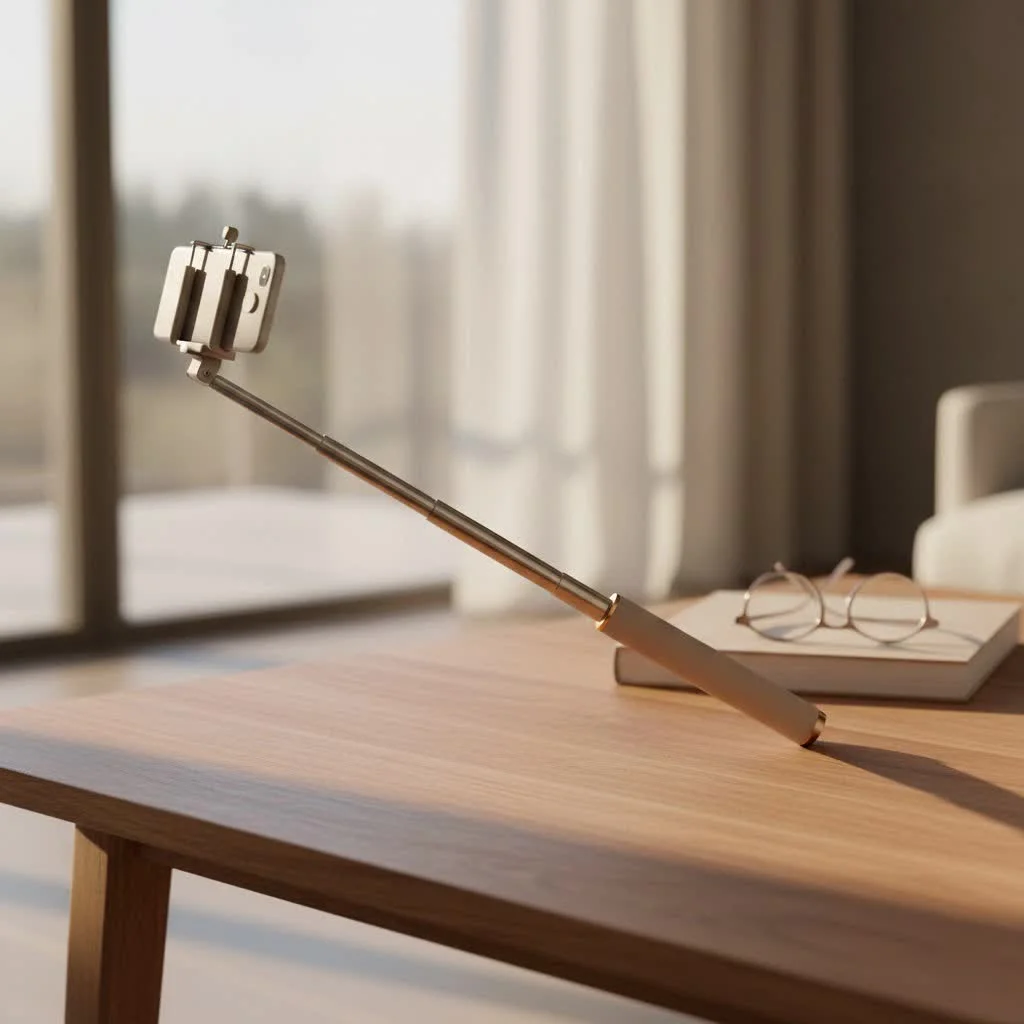
A selfie stick with a Bluetooth remote is a mobile photography accessory that extends your smartphone’s reach and allows you to trigger the camera shutter wirelessly from a distance. This combination provides greater flexibility for wider angles, group photos, and stable video recording, enhancing both convenience and creative possibilities for users. The Bluetooth remote typically pairs with your smartphone and operates the shutter with a simple button press, eliminating the need for self-timers or awkward arm stretches.
Why a Selfie Stick with Bluetooth Remote is a major upgrade
The selfie stick with Bluetooth remote eliminates the common challenges of mobile photography, such as limited arm length and blurry shots. This ingenious tool frees you from physical constraints, enabling wider angles, more expansive backgrounds, and the inclusion of everyone in group shots. The Bluetooth remote is crucial, offering complete control over your phone’s shutter from a distance, which prevents shaky hands from blurring photos and removes the rush of self-timers. It delivers convenience, stability, and unlocks new creative possibilities for both photos and videos. For browse all selfie stick articles on this site.
Decoding the Tech: How Bluetooth Selfie Sticks Work
At its core, a selfie stick with Bluetooth remote is designed for maximum impact through simplicity. It typically consists of a few key components:
- The Extendable Stick: Usually made from lightweight yet durable materials like aluminum, this telescopic pole allows you to extend your phone’s reach, from a compact size for portability to an impressive length for expansive shots.
- The Phone Mount: This is where your smartphone securely clips in. Most mounts are adjustable to accommodate various phone sizes and often feature a rotating head, letting you switch between horizontal (landscape) and vertical (portrait) orientations with ease.
- The Bluetooth Remote: This small, wireless device is the brains of the operation. It pairs with your smartphone via Bluetooth, allowing you to trigger the camera shutter with a simple button press. Many remotes are detachable, giving you even greater flexibility to stand away from the stick itself, transforming it into a makeshift tripod.
Pairing Your Remote: A Quick How-To
Getting your selfie stick with Bluetooth remote ready for action is usually a straightforward process. Here’s a general guide:
- Charge or Insert Batteries: First things first, ensure your Bluetooth remote has power. Many come with a small rechargeable battery and a USB charging cable, while others use replaceable coin-cell batteries.
- Turn On Bluetooth: On your smartphone, navigate to your settings and ensure Bluetooth is enabled.
- Activate the Remote: Locate the power button on your remote (it might be a small icon or a simple circular button) and press and hold it until an LED light starts blinking. This indicates it’s in pairing mode.
- Pair the Devices: On your phone, look for the remote’s name in the list of available Bluetooth devices (it might be something like “Selfie Stick,” “BT Shutter,” or the brand name). Tap to connect. Once paired, the LED light on the remote will usually stop blinking and remain steady.
- Test It Out: Open your phone’s camera app and press the button on your remote. You should hear the shutter click or see a photo being taken. If your remote also has video or zoom functions, test those too!
“The beauty of a Bluetooth remote is its universal appeal. Most modern smartphones, whether iOS or Android, connect effortlessly, making it a truly versatile accessory for almost any mobile photographer,” says Anya Petrova, Lead Tech Analyst at Spaod.com.
Choosing Your Perfect Companion: What to Look For
With many options on the market, selecting the ideal selfie stick with Bluetooth remote can feel overwhelming. Based on years of hands-on experience, here are the crucial features to consider:
Extension Length and Portability
|
Our Picks for the Best Selfie Stick in 2026
As an Amazon Associate I earn from qualifying purchases.
|
||
| Num | Product | Action |
|---|---|---|
| 1 | ATUMTEK Selfie Stick Tripod, 3-in-1 Extendable Aluminum Phone Tripod with Detachable Bluetooth Remote, Compatible with iPhone 17/16/15/14/13/12/11/11 Pro/XS Max/XR and Samsung Smartphones, Black |

|
| 2 | LỖI |
|
| 3 | TONEOF 68\" Magnetic Selfie Stick Tripod with Aluminum Strong Magnetic Holder for Magsafe, 360° Rotatable Travel Phone Tripod Stand with Metal Ring & Rechargeable Remote for iPhone/Android(Beige Gray) |
|
| 4 | Phone Tripod Stand with Bluetooth Remote, Selfie Stick for iPhone & Android, One-Click Open Portable Lightweight Tripod for Vlog Travel Photography (White) |
|
| 5 | TONEOF 68\" Magnetic Selfie Stick Tripod with Aluminum Strong Magnetic Holder for Magsafe, 360° Rotatable Travel Phone Tripod Stand with Metal Ring & Rechargeable Remote for iPhone/Android(Black) |
|
| 6 | Phone Tripod & Selfie Stick with Remote, Portable, Lightweight for Video Recording Vlog, Extendable Travel Tripod Stand Compatible with iPhone Android, Black, 62\" |
|
| 7 | SelfieShow Selfie Stick, Extendable Selfie Stick Tripod with Wireless Remote and Tripod Stand, Portable, Lightweight, Compatible with iPhone 15 14 13 12 Pro Xs Max X 8Plus, Samsung Smartphone and More |
|
| 8 | ULANZI SK27 Extendable Phone Tripod, 61\" Selfie Stick for iPhone, 2 in 1 Adjustable Tripod with Bluetooth Remote Cold Shoe Mount, Portable Phone Stand Lightweight for Travel Photo Video Stream Vlog |
|
| 9 | Selfie Stick Travel Tripod for Cell Phone with Remote Control and Phone Holder, Extendable Selfie Stick for iPhone, iPhone Tripod for Video Recording, 50 Inch, Black |
|
| 10 | MAGIC JOHN Phone Tripod, Portable Selfie Stick, Pocket Size Tripod for iPhone, Selfie Stick with Detachable Remote Control & 2 Fill Light for Photograph, Live Streaming, Video Recording |
|
Consider how far you need it to reach. Some sticks extend over 60 inches for grand landscape shots, while others are more modest. Equally important is how compactly it folds down. For travelers, a stick that collapses to under 10 inches is a major upgrade for fitting into small bags.
Build Quality and Stability
A flimsy stick can lead to blurry photos and the risk of dropping your phone. Look for models made from durable materials like aluminum alloy. Test for wobble when fully extended. The phone mount should grip your device securely, with some featuring screw-tightening mechanisms for extra peace of mind.
Remote Control Features
- Detachable vs. Integrated: A detachable remote offers maximum flexibility, allowing you to place the stick on a tripod and take photos from a distance. Integrated remotes are convenient for quick, handheld shots.
- Battery Life: Rechargeable remotes are common and usually last for thousands of clicks on a single charge. Check for reviews on battery longevity.
- Additional Buttons: Some advanced remotes include zoom controls or video recording buttons, though compatibility for these features can vary between phone models.
Mount Versatility
Ensure the mount can securely hold your specific smartphone model and width. A 360-degree rotating head allows for easy switching between orientations and creative angles. Some selfie sticks also come with 1/4-inch screw mounts or GoPro adapters, making them compatible with action cameras or small digital cameras.
Tripod Functionality
Many modern selfie stick with Bluetooth remote models cleverly integrate fold-out tripod legs. This is incredibly useful for stable group photos, time-lapses, long exposures, or hands-free video calls and vlogging. Look for sturdy legs that provide a stable base, especially on uneven surfaces.
Extra Perks
Some selfie sticks come with additional features like built-in LED fill lights for better illumination in low-light conditions, small mirrors for framing rear-camera selfies, or even waterproofing for adventurous users.
Top Picks from the Spaod Lab
While specific models evolve rapidly, our testing consistently highlights categories that offer the best experience:
- The All-Rounder 3-in-1: These sticks, often exemplified by brands like ATUMTEK or Yoozon, offer a great balance of extension, a detachable Bluetooth remote, and integrated tripod legs, making them incredibly versatile for various scenarios.
- The Ultra-Compact Travel Buddy: Perfect for minimalist travelers, these prioritize small folded sizes and lightweight construction, like some Vproof models, ensuring they’re always ready for an impromptu shot.
- The Stability King: For those prioritizing rock-solid shots, especially with heavier phones or small cameras, models with robust aluminum builds and strong, secure phone clamps are paramount, such as some Fugetek or BZE options.
- The Action-Ready Companion: If you’re into extreme sports or underwater adventures, look for durable, waterproof sticks often from brands like GoPro or those designed for action cameras.
Unleash Your Creativity: Pro Tips for Amazing Photos & Videos
Having a selfie stick with Bluetooth remote is just the first step. Here’s how to truly maximize its potential:
Mastering Angles and Composition
Don’t just point and shoot! Experiment with high angles for a flattering perspective, or low angles to create dramatic shots. Utilize the rule of thirds to frame your subjects more engagingly, and look for leading lines in your environment to draw the viewer’s eye.
Leveraging Tripod Mode
When your stick has a tripod function, use it! This is invaluable for:
- Group Photos: Everyone can be in the shot, including the photographer, perfectly still.
- Long Exposures: Capture stunning night scenes or light trails with your phone’s camera apps.
- Time-Lapses: Create dynamic videos of sunsets, bustling cityscapes, or evolving scenes.
- Vlogging and Video Calls: Keep your phone steady and at the ideal height for professional-looking content.
Lighting is Key
Even the best gear can’t fix bad lighting. Always try to find natural, soft light. Position yourself so the light source is in front of you (or slightly to the side), illuminating your face and avoiding harsh shadows. Avoid shooting directly into bright sunlight, which can cause silhouettes.
Practice Makes Perfect
The more you use your selfie stick with Bluetooth remote, the more intuitive it becomes. Experiment with different lengths, angles, and settings. Get comfortable with your remote’s functions. Soon, you’ll be capturing stunning content effortlessly.
Troubleshooting Common Issues with Your Bluetooth Remote
Even the most reliable tech can occasionally encounter a hiccup. Here’s how to address common issues with your selfie stick with Bluetooth remote:
- Remote Not Pairing: First, ensure the remote is fully charged or has fresh batteries. Then, try unpairing the remote from your phone’s Bluetooth settings (if it was previously connected) and re-pairing it from scratch. Sometimes, a simple restart of both your phone and the remote can resolve connectivity issues.
- Laggy Response: If there’s a delay between pressing the button and the photo being taken, check if other Bluetooth devices are interfering with the signal. Try moving to an area with less wireless congestion.
- Zoom/Video Buttons Not Working: While some remotes have these buttons, their functionality can depend on your phone’s operating system and camera app. Some phone systems, for example, may not support the zoom function via the remote. Consult your selfie stick’s manual or your phone’s camera settings.
Caring for Your Selfie Stick: Maintenance Tips
To ensure your selfie stick with Bluetooth remote lasts through countless adventures, a little care goes a long way:
- Clean Regularly: Wipe down the stick and phone mount with a soft, damp cloth to remove dirt, dust, and grime. If it’s waterproof, rinse it after use in saltwater or dusty environments.
- Store Properly: When not in use, collapse the stick to its most compact size and store it in a protective pouch or case to prevent scratches and damage.
- Battery Care: For rechargeable remotes, avoid completely draining the battery frequently. For replaceable batteries, remove them if you’re storing the remote for an extended period to prevent leakage.
Conclusion
The selfie stick with Bluetooth remote is more than just a gadget; it’s an essential tool for anyone passionate about capturing life’s moments. From panoramic landscapes to intimate group shots, and stable videos for your vlogs, the control and versatility it offers are unmatched. By understanding its features, choosing the right model, and applying a few pro tips, you’ll improve your mobile photography from ordinary to extraordinary. So, grab your stick, extend your reach, and start creating stunning content that truly reflects your vision!
Get our weekly buyer guide
Practical specs, not advice. Unsubscribe anytime.
I recently got one of these after reading about how it helps with stable video recording. It’s definitely improved my vlogs, especially when I’m out hiking. The remote pairs super fast with my iPhone. My only minor gripe is that the stick itself feels a little flimsy when fully extended, but it hasn’t broken yet.
I used to struggle so much with getting everyone in the shot during family vacations. This guide really helped me pick out a great selfie stick with a Bluetooth remote. The wireless shutter is a total game-changer for group photos, and I love how easy it is to set up. No more awkward arm stretches or blurry pics!
I bought a selfie stick with a Bluetooth remote specifically for wider angles on my travel photos. It works okay for that, but I found the battery life on the remote to be a bit shorter than I expected. I have to remember to charge it pretty often, which can be a hassle when I’m on the go. Still, it’s better than using a self-timer.
This accessory has completely transformed my solo travel photography! I used to rely on strangers to take my pictures, but now I can get amazing shots with expansive backgrounds all by myself. The convenience of the Bluetooth remote triggering the camera from a distance is just fantastic. Highly recommend for anyone who loves capturing their adventures.