As a professional photographer with a decade of experience navigating the exciting world of action cameras and their indispensable companions, I can confidently say that the Insta360 selfie stick has revolutionized how we capture our adventures. It’s not just a stick; it’s a magic wand that makes your camera float, capturing breathtaking 360-degree footage and photos that seem to defy gravity, all while making the stick itself disappear. If you’re ready to transform your perspectives and unlock unparalleled creative freedom, let’s dive deep into making the most of this incredible tool.
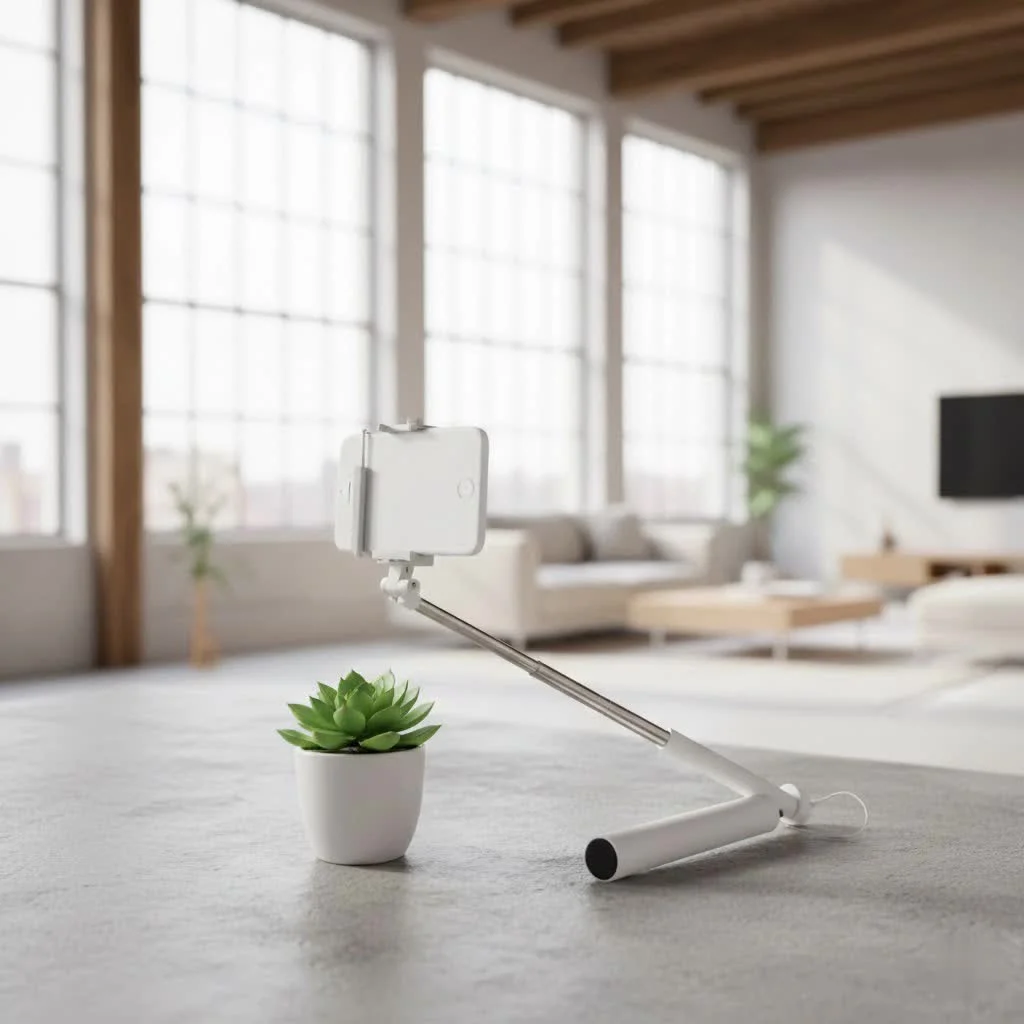
What Makes the Insta360 Selfie Stick Special? The Magic of Invisibility
The concept of a “selfie stick” often brings to mind a visible pole awkwardly jutting out from your shot. But with an Insta360 camera, particularly models like the X3 or ONE RS, paired with a dedicated Insta360 stick, that visual disruption vanishes entirely. This isn’t just clever marketing; it’s a brilliant piece of engineering that leverages the camera’s unique capabilities.
The Science Behind the “Invisible” Effect
At its core, the invisibility of the Insta360 selfie stick comes down to smart design and the camera’s 360-degree stitching technology. Insta360 cameras typically use two ultra-wide-angle lenses. When these lenses capture footage, they record a full sphere of data. The stick is designed to be thin enough to fit precisely within the camera’s “blind spot” – the tiny area between the fields of view of the two lenses. During the post-production stitching process, the software intelligently removes the stick, making it appear as if your camera is magically suspended in mid-air. It’s truly a game-changer for immersive content.
Why an Insta360 Stick for Insta360 Cameras?
While any stick can hold your camera, only an Insta360 branded or officially certified invisible selfie stick is specifically engineered for this seamless disappearance. These sticks are designed with the optimal diameter and material to consistently fall into the camera’s blind spot. Using a thicker, third-party stick might result in visible artifacts or a clumsy pole ruining your otherwise perfect 360 shot. For truly invisible results, the dedicated Insta360 selfie stick is simply unmatched.
Choosing Your Perfect Companion: Types of Insta360 Selfie Sticks
Insta360 offers a range of selfie sticks, each tailored for different scenarios and creative ambitions. Understanding these variations is key to selecting the right tool for your arsenal.
Standard Invisible Selfie Stick (e.g., 70cm, 120cm)
These are the most common and versatile options. They extend to moderate lengths, typically around 70cm (27 inches) or 120cm (47 inches). They are perfect for everyday vlogging, group selfies, and getting slightly elevated perspectives without being cumbersome. Their compact collapsed size makes them highly portable, fitting easily into most bags.
Extended Edition (e.g., 3-meter stick)
|
Our Picks for the Best Selfie Stick in 2026
As an Amazon Associate I earn from qualifying purchases.
|
||
| Num | Product | Action |
|---|---|---|
| 1 | ATUMTEK Selfie Stick Tripod, 3-in-1 Extendable Aluminum Phone Tripod with Detachable Bluetooth Remote, Compatible with iPhone 17/16/15/14/13/12/11/11 Pro/XS Max/XR and Samsung Smartphones, Black |

|
| 2 | MAGIC JOHN Phone Tripod, Portable Selfie Stick, Pocket Size Tripod for iPhone, Selfie Stick with Detachable Remote Control & 2 Fill Light for Photograph, Live Streaming, Video Recording |
|
| 3 | SelfieShow Selfie Stick, Extendable Selfie Stick Tripod with Wireless Remote and Tripod Stand, Portable, Lightweight, Compatible with iPhone 15 14 13 12 Pro Xs Max X 8Plus, Samsung Smartphone and More |
|
| 4 | Phone Tripod & Selfie Stick with Remote, Portable, Lightweight for Video Recording Vlog, Extendable Travel Tripod Stand Compatible with iPhone Android, Black, 62\" |
|
| 5 | ULANZI SK27 Extendable Phone Tripod, 61\" Selfie Stick for iPhone, 2 in 1 Adjustable Tripod with Bluetooth Remote Cold Shoe Mount, Portable Phone Stand Lightweight for Travel Photo Video Stream Vlog |
|
| 6 | TONEOF 68\" Magnetic Selfie Stick Tripod with Aluminum Strong Magnetic Holder for Magsafe, 360° Rotatable Travel Phone Tripod Stand with Metal Ring & Rechargeable Remote for iPhone/Android(Beige Gray) |
|
| 7 | TONEOF 68\" Magnetic Selfie Stick Tripod with Aluminum Strong Magnetic Holder for Magsafe, 360° Rotatable Travel Phone Tripod Stand with Metal Ring & Rechargeable Remote for iPhone/Android(Black) |
|
| 8 | LỖI |
|
| 9 | Phone Tripod Stand with Bluetooth Remote, Selfie Stick for iPhone & Android, One-Click Open Portable Lightweight Tripod for Vlog Travel Photography (White) |
|
| 10 | Selfie Stick Travel Tripod for Cell Phone with Remote Control and Phone Holder, Extendable Selfie Stick for iPhone, iPhone Tripod for Video Recording, 50 Inch, Black |
|
For those ambitious shots that mimic drone footage or create truly impossible angles, the Extended Edition Insta360 selfie stick is your go-to. Extending up to an impressive 3 meters (nearly 10 feet), it allows you to capture sweeping vistas, dynamic action, and shots that make your camera seem to fly. Imagine yourself skateboarding with a “drone” following you, or getting an incredible overhead shot of a crowd – all possible with this extended reach. It’s a fantastic tool for extreme sports enthusiasts and filmmakers looking for unique perspectives.
Selfie Stick with Tripod Functionality
Many Insta360 selfie sticks now integrate a foldable tripod base. This hybrid design is incredibly practical. You get the benefits of an invisible selfie stick for dynamic shots, and with a quick fold-out of the legs, it transforms into a stable tripod. This is ideal for static shots, time-lapses, or simply setting up your camera for hands-free recording. It’s like having two essential accessories rolled into one, saving space and hassle.
Third-Party Alternatives: What to Consider
While official Insta360 sticks are recommended for the best invisible effect, there are third-party options. If you go this route, pay close attention to the stick’s diameter and material. Ensure it’s thin enough to disappear and robust enough to handle your camera, especially for extended lengths. Always read reviews specific to Insta360 camera compatibility before purchasing a non-official stick to avoid disappointment.
Head-to-Head: Comparing Key Features and Benefits
When picking out your Insta360 selfie stick, it’s not just about length. Several other features play a crucial role in its performance, durability, and how it fits into your creative workflow.
Material: Carbon Fiber vs. Aluminum
Most high-quality Insta360 selfie sticks, especially the longer ones, are made from carbon fiber.
- Carbon Fiber: Incredibly lightweight, yet remarkably strong and rigid. This is essential for longer sticks, as it prevents excessive flex, ensuring smoother footage. Its lightweight nature also reduces arm fatigue during extended shooting sessions. The trade-off is typically a higher price point.
- Aluminum: More affordable and still very durable. Aluminum sticks are common for shorter models or as a budget-friendly option. While heavier than carbon fiber, they are perfectly suitable for many users, especially if extended reach isn’t a primary concern.
Length and Portability
Consider your primary use cases. Do you mostly vlog and need a compact, easy-to-carry stick? Or are you aiming for expansive, drone-like shots that demand maximum reach? The collapsed length is as important as the extended length for portability. A 3-meter stick, while offering incredible reach, will naturally be longer when collapsed than a 70cm stick.
Durability and Build Quality
Your selfie stick will likely face the elements, so build quality matters. Look for robust locking mechanisms that prevent sections from slipping, and ensure the mounting screw (usually 1/4″ standard) is sturdy and secure. Weather resistance is also a plus, especially if you plan on shooting in diverse outdoor conditions.
Additional Features: Remote Compatibility, Tripod
Some Insta360 selfie sticks offer specific integrations. For instance, certain models might have a designated slot to mount the Insta360 GPS Smart Remote, allowing for easy control without touching the camera. As mentioned, integrated tripod legs add immense versatility. These small details can significantly enhance your user experience.
“The Insta360 selfie stick isn’t just an accessory; it’s an extension of your creative vision. The seamless invisibility it offers opens up entirely new possibilities for storytelling that were once confined to drones or elaborate setups. It truly transforms your perspective.” – Ava Chen, renowned 360 videographer and tech innovator.
My Top Tips for Unlocking Your Insta360 Selfie Stick’s Full Potential
Having spent countless hours experimenting with these tools, I’ve gathered some insights that will help you move beyond basic shots and truly master your Insta360 selfie stick.
Achieving the Flawless Invisible Shot
How do I make my Insta360 selfie stick disappear completely?
For the best invisible effect, always hold the stick as vertically as possible, aligning it directly beneath the camera. This ensures it occupies the smallest possible area between the camera’s two lenses, making it easier for the stitching software to remove. Keep your grip firm but relaxed, and avoid tilting the stick excessively.
Creative Angles and Perspectives
What are some creative ways to use an Insta360 selfie stick?
The long reach of an Insta360 selfie stick, especially the Extended Edition, opens up a world of creativity. Try holding it out to simulate drone shots, dipping it underwater for split-level shots (with a waterproof camera), or creating “tiny planet” effects with unique vantage points. Experiment with swinging the camera around you for dynamic motion blur, or mount it to objects for unique third-person views.
Maximizing Stability and Smoothness
How can I get smoother footage with my Insta360 selfie stick?
While Insta360 cameras have excellent in-camera stabilization, a stable grip on your selfie stick is crucial. Hold it firmly with both hands for longer sticks, especially during movement. Avoid jerky motions; instead, aim for smooth, deliberate movements. For extra stability, brace the stick against your body if possible, or use the tripod feature for static shots.
Post-Production Magic: Reframing Your World
How do I reframe my 360 footage after shooting?
One of the greatest advantages of 360 cameras is the ability to reframe your shot after it’s been recorded. Use the Insta360 app or desktop Studio software to virtually “point” your camera in any direction, zoom in or out, and create traditional flat videos from your 360 footage. This means you don’t have to worry about missing the shot while filming; you can capture everything and decide the best perspective later.
How to Keep Your Insta360 Selfie Stick in Prime Condition?
A good Insta360 selfie stick is an investment that deserves proper care. Regular maintenance ensures its longevity and optimal performance, especially if you’re frequently out in diverse environments.
Cleaning and Care
What’s the best way to clean my Insta360 selfie stick?
After use, especially in sandy, dusty, or wet conditions, gently wipe down your stick with a soft, dry cloth. If it’s particularly dirty, a slightly damp cloth can be used, but ensure it’s completely dry before collapsing. Pay special attention to the telescoping sections; sand or grit can scratch surfaces and impair smooth extension.
Storage Best Practices
Where should I store my Insta360 selfie stick?
Always store your selfie stick in a clean, dry place away from extreme temperatures and direct sunlight. Collapse it fully to protect the extended sections. If your stick came with a carrying pouch, use it to prevent scratches and keep dust out.
Regular Checks
How often should I check my selfie stick for wear and tear?
Before each use, quickly check the mounting screw to ensure it’s tight and your camera is securely attached. Inspect the locking mechanisms on the telescoping sections to confirm they engage properly. A quick visual inspection can prevent mishaps and ensure your gear is always ready for action.
Your Burning Questions Answered
Q1: Can I use any selfie stick with my Insta360 camera?
While you can technically mount your Insta360 camera to any selfie stick with a standard 1/4″ screw mount, only an official Insta360 invisible selfie stick is designed to disappear seamlessly from your 360 footage. Other sticks, being thicker, will likely remain visible in your shots.
Q2: How long is the longest Insta360 selfie stick?
The longest available Insta360 selfie stick is the Extended Edition, which can reach up to 3 meters (approximately 10 feet) when fully extended, allowing for incredible drone-like perspectives.
Q3: What’s the best way to get the invisible effect?
To achieve the best invisible effect, hold the Insta360 selfie stick as vertically and straight as possible beneath your camera. This minimizes its presence in the camera’s blind spot, allowing the stitching software to remove it cleanly.
Q4: Is the carbon fiber stick worth the extra cost?
For frequent users, especially those using longer sticks or engaging in active shooting, the carbon fiber stick is often worth the extra cost. Its lightweight nature reduces fatigue, and its superior rigidity ensures smoother footage, particularly when fully extended.
Q5: How do I attach my Insta360 camera to the stick?
Your Insta360 camera will have a standard 1/4″ screw thread on its base. Simply align this with the screw on the top of your selfie stick and twist the camera clockwise until it’s securely tightened. Always double-check before shooting!
Q6: Can I use the Insta360 selfie stick underwater?
Many Insta360 selfie sticks are built to be reasonably water-resistant, but they are not typically designed for prolonged submersion. While brief splashes are usually fine, for true underwater shooting, ensure both your camera and stick are rated for the depth and duration you intend to use them, and rinse with fresh water after saltwater exposure.
Unleash Your Inner Storyteller with the Insta360 Selfie Stick
The Insta360 selfie stick is far more than a simple accessory; it’s a gateway to unparalleled creative expression. From making your camera float invisibly in stunning 360 scenes to capturing dynamic, impossible angles, this tool empowers you to tell your stories in ways that traditional cameras simply cannot. By choosing the right stick, understanding its unique capabilities, and applying these tips, you’re not just taking photos or videos—you’re crafting experiences. So go ahead, extend your reach, explore new perspectives, and confidently capture the world around you with your Insta360 selfie stick. The only limit is your imagination!
Get our weekly buyer guide
Practical specs, not advice. Unsubscribe anytime.