As a seasoned photographer and tech enthusiast, I’ve seen countless gadgets come and go, but few have truly revolutionized mobile photography quite like the humble selfie stick. Over my decade-long journey of capturing life’s moments, I’ve experimented with a vast array of these extendable wonders. Today, I’m thrilled to dive deep into a popular and incredibly versatile tool that has carved a niche for itself: the Bower selfie stick, specifically the highly acclaimed 6-in-1 Multi Tripod. At Spaod.com, we’re all about empowering you to create stunning visuals, and this little powerhouse promises to be a game-changer for many. Join me as we unpack its features, weigh its performance, and discover how to truly make it sing for your photos and videos.
What is the Bower Selfie Stick? Unpacking the “6-in-1” Magic
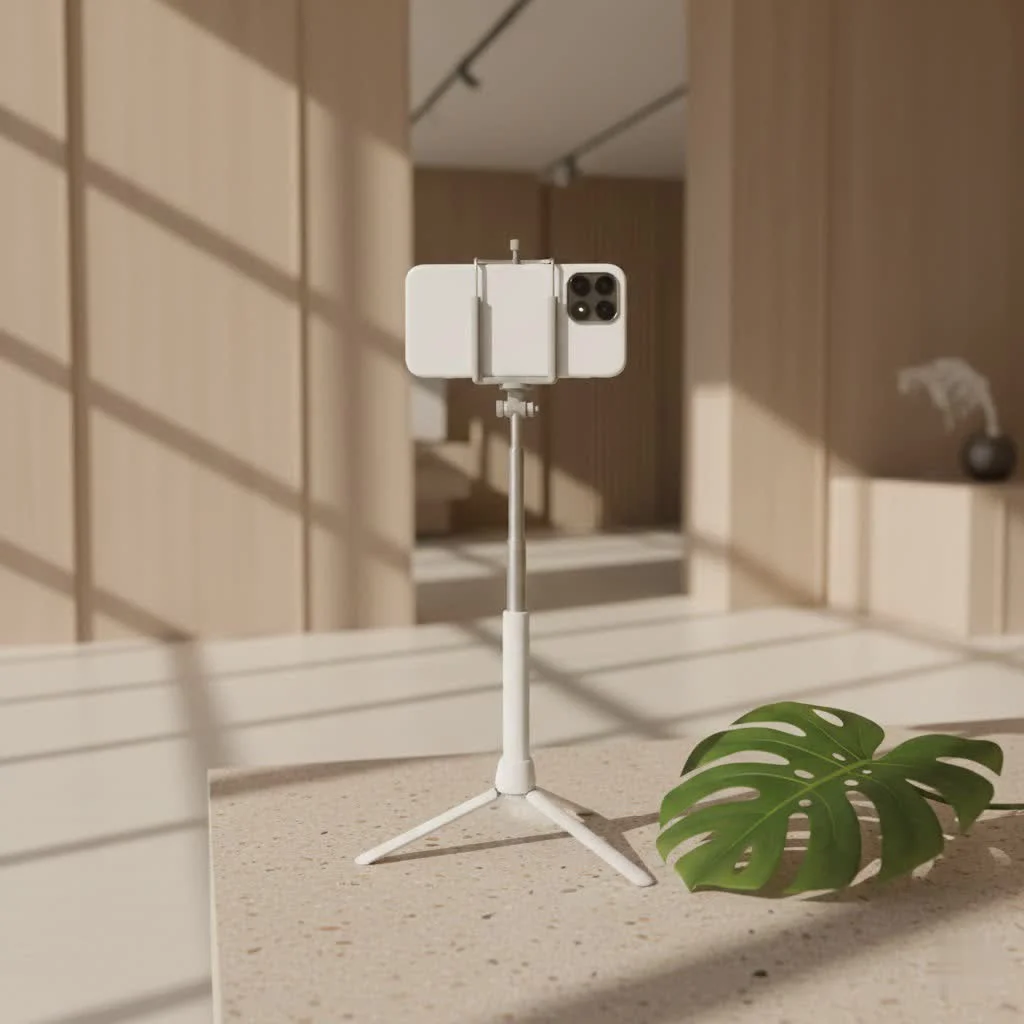
When you hear “Bower selfie stick,” most likely you’re thinking of their renowned 6-in-1 Multi Tripod. This isn’t just a simple stick; it’s a Swiss Army knife for content creators, designed to adapt to almost any shooting scenario. The “6-in-1” designation means it seamlessly transitions between multiple essential functions, making it an indispensable tool for photographers, vloggers, and casual users alike.
So, what are these six amazing functions? At its core, it serves as:
- An extendable selfie stick for those wide-angle group shots or breathtaking landscape selfies.
- A stable tripod (both tabletop and desktop) for hands-free recording or perfectly still time-lapses.
- A secure smartphone holder that cradles your device, keeping it safe during shoots.
- A dedicated GoPro mount, ready for your action camera adventures.
- A universal mount for small digital cameras via its 1/4-inch screw.
- And perhaps its most celebrated feature, a detachable Bluetooth remote shutter for effortless hands-free control.
This compact and lightweight design makes it an ideal companion for any adventure, whether you’re exploring a new city or simply filming a recipe in your kitchen.
Key Features That Make the Bower Selfie Stick Shine
The Bower 6-in-1 Multi Tripod packs an impressive punch for its size and price point. Let’s break down the standout features that truly make it shine.
The Detachable Bluetooth Remote Shutter: Your Hands-Free Companion
One of the most praised aspects of the Bower selfie stick is its included Bluetooth remote shutter. This small, rechargeable device clips neatly onto the handle of the stick, always ready when you need it. Pairing it with your smartphone is straightforward, and once connected, it allows you to remotely trigger your camera’s shutter or start/stop video recording from up to 10 meters away. This is a game-changer for group photos where you want everyone in the frame, for vlogging where you need to maintain eye contact with the camera, or for capturing discreet moments without fumbling with your phone. “A good remote shutter isn’t just a convenience; it’s a creative enabler, freeing you to focus on composition and expression,” notes Sarah Chen, a professional travel vlogger.
Adjustable Height and Multi-Angle Flexibility: Capture Every Perspective
|
Our Picks for the Best Selfie Stick in 2026
As an Amazon Associate I earn from qualifying purchases.
|
||
| Num | Product | Action |
|---|---|---|
| 1 | ATUMTEK Selfie Stick Tripod, 3-in-1 Extendable Aluminum Phone Tripod with Detachable Bluetooth Remote, Compatible with iPhone 17/16/15/14/13/12/11/11 Pro/XS Max/XR and Samsung Smartphones, Black |

|
| 2 | LỖI |
|
| 3 | TONEOF 68\" Magnetic Selfie Stick Tripod with Aluminum Strong Magnetic Holder for Magsafe, 360° Rotatable Travel Phone Tripod Stand with Metal Ring & Rechargeable Remote for iPhone/Android(Beige Gray) |
|
| 4 | Selfie Stick Travel Tripod for Cell Phone with Remote Control and Phone Holder, Extendable Selfie Stick for iPhone, iPhone Tripod for Video Recording, 50 Inch, Black |
|
| 5 | TONEOF 68\" Magnetic Selfie Stick Tripod with Aluminum Strong Magnetic Holder for Magsafe, 360° Rotatable Travel Phone Tripod Stand with Metal Ring & Rechargeable Remote for iPhone/Android(Black) |
|
| 6 | Phone Tripod Stand with Bluetooth Remote, Selfie Stick for iPhone & Android, One-Click Open Portable Lightweight Tripod for Vlog Travel Photography (White) |
|
| 7 | MAGIC JOHN Phone Tripod, Portable Selfie Stick, Pocket Size Tripod for iPhone, Selfie Stick with Detachable Remote Control & 2 Fill Light for Photograph, Live Streaming, Video Recording |
|
| 8 | Phone Tripod & Selfie Stick with Remote, Portable, Lightweight for Video Recording Vlog, Extendable Travel Tripod Stand Compatible with iPhone Android, Black, 62\" |
|
| 9 | SelfieShow Selfie Stick, Extendable Selfie Stick Tripod with Wireless Remote and Tripod Stand, Portable, Lightweight, Compatible with iPhone 15 14 13 12 Pro Xs Max X 8Plus, Samsung Smartphone and More |
|
| 10 | ULANZI SK27 Extendable Phone Tripod, 61\" Selfie Stick for iPhone, 2 in 1 Adjustable Tripod with Bluetooth Remote Cold Shoe Mount, Portable Phone Stand Lightweight for Travel Photo Video Stream Vlog |
|
Flexibility is paramount in photography, and the Bower selfie stick delivers. It typically extends from a compact 7 inches to an impressive 36 inches (some ‘Pro’ models even reach 67 inches), giving you ample range for various shots. But it’s not just about length. The integrated 360-degree rotating ball head allows you to quickly adjust your phone’s orientation, whether you need horizontal panoramas or vertical shots for social media stories. Plus, the ability to achieve a 90-degree vertical shot is perfect for capturing full-body outfits or towering landmarks.
Universal Compatibility: One Stick for All Your Devices
Gone are the days of needing different mounts for different gadgets. The Bower selfie stick is designed with universal compatibility in mind. Its adjustable phone clamp securely holds most smartphones, regardless of brand. Beyond that, it comes with a dedicated GoPro adapter, making it an excellent tool for action camera enthusiasts. For those who still prefer a dedicated camera, the standard 1/4-inch mounting screw on the ball head allows you to attach small digital cameras, instantly transforming it into a lightweight camera support. However, it’s crucial to note that it’s not designed for heavier DSLR cameras due to stability limitations.
Portability Perfected: Travel Light, Shoot More
Measuring just a few inches when collapsed and weighing less than a pound, the Bower selfie stick is engineered for life on the go. It effortlessly slips into a backpack, purse, or even a large coat pocket. This compact form factor ensures that you’re always ready to capture unexpected moments, from spontaneous adventures to planned photo shoots. Its sleek design doesn’t just look good; it’s practical, eliminating the need to lug around bulky, separate tripods and selfie sticks.
Real-World Performance: Pros and Cons from a Pro’s Perspective
Having spent considerable time with the Bower 6-in-1 Multi Tripod, I can offer an honest assessment of its performance in various scenarios.
The Good Stuff: Why I Love My Bower
As someone deeply invested in visual storytelling, the Bower selfie stick has consistently impressed me with its versatility and incredible value for money. For its affordable price, the sheer number of functions it offers is outstanding. It’s incredibly simple to set up and intuitive to use, making it perfect for beginners and seasoned creators alike who need a quick, reliable solution. The Bluetooth remote is a true standout, making group photos a breeze and empowering solo content creators to frame their shots perfectly without rushing. Whether I’m capturing a panoramic selfie in a bustling city, setting up a stable shot for a product review on my desk, or just trying to get a full-body OOTD (outfit of the day) shot, this stick handles it all with impressive ease. It’s truly a fantastic entry point for anyone looking to elevate their smartphone photography and videography.
Where It Could Be Better: Honest Feedback
While the Bower selfie stick is a fantastic tool, it does have its limitations, which are important to acknowledge. The primary concern I’ve encountered revolves around its stability, especially when fully extended or used with heavier smartphones. While adequate for most casual use, it can feel a bit wobbly or flimsy in windy conditions or when supporting a larger phone, potentially leading to slight camera shake.
Another area that sometimes causes a minor snag is the phone holder. While it accommodates most mainstream smartphones, it can be quite tight for phones with thicker cases, and achieving precise vertical positioning can sometimes require a bit of fiddling. Some users have also noted that the initial setup instructions could be clearer, leading to a small learning curve for those not familiar with similar devices. Finally, given its affordable price, the construction is primarily plastic, which, while keeping it lightweight, means it’s not as robust as some higher-end, heavier-duty alternatives. It’s crucial to handle it with care to ensure its longevity.
How to Get Started: Setting Up Your Bower Selfie Stick
Even with its multi-functionality, setting up your Bower selfie stick is surprisingly straightforward. Here’s a quick guide to get you up and running in no time.
Unboxing and Assembly: Quick Steps
- Unpack Everything: Inside the box, you’ll typically find the main multipod unit, a smartphone mount, a GoPro adapter, the Bluetooth remote, and a USB charging cable for the remote.
- Attach Your Device Mount:
- For Smartphones: Locate the adjustable smartphone mount. It usually screws onto the 1/4-inch thread at the top of the ball head. Turn it clockwise until it’s secure, but don’t overtighten.
- For GoPro/Small Cameras: If using a GoPro, attach the provided adapter to the 1/4-inch thread first, then secure your GoPro to the adapter. For small digital cameras, directly screw them onto the 1/4-inch thread.
- Extend the Pole: Gently pull the top section of the pole upwards to extend it to your desired length. It telescopes out smoothly.
- Unfold Tripod Legs (if using as a tripod): At the base of the handle, you’ll find three legs folded inward. Gently pull them outwards until they fully extend and lock into position, forming a stable tripod base. Ensure they are fully spread for maximum stability.
Pairing Your Bluetooth Remote: A Simple Guide
Connecting your remote shutter to your phone is a quick, one-time process.
- Charge the Remote: First, ensure your Bluetooth remote is charged. Use the included micro-USB cable to connect it to any USB power source. A red light usually indicates charging, which turns off when full.
- Turn On the Remote: Slide the small switch or press the button on the side of the remote downwards/onwards. A blue indicator light should turn on briefly, then start blinking. This means it’s in discoverable mode.
- Access Your Phone’s Bluetooth Settings: On your smartphone, go to your ‘Settings’ app and tap on ‘Bluetooth’. Make sure your phone’s Bluetooth is turned on.
- Find and Pair: Your phone should scan for nearby devices. Look for a device named “MO-09 Bluetooth” (or something similar, like “Bower Remote”). Tap on it to initiate the pairing process.
- Confirm Connection: Once successfully paired, the blue light on your remote will usually stop blinking and turn off. Your phone will indicate that the device is connected.
- Troubleshooting Tip: If you’re having trouble pairing, try turning the remote off and on again, or toggle your phone’s Bluetooth off and on. Sometimes, simply re-entering discovery mode on the remote helps establish the connection.
Elevate Your Content: Advanced Tips for Using Your Bower Selfie Stick
Owning a Bower selfie stick is one thing; mastering it to create truly captivating content is another. Here are some advanced tips to help you get the most out of this versatile tool.
Mastering the Angle: Beyond the Basic Selfie
Don’t limit yourself to eye-level shots. Explore dynamic angles:
- Low-Angle Shots: Use the tripod function on the ground or a low surface to capture unique perspectives, making subjects appear larger and more imposing.
- Overhead Shots: Extend the stick fully and position it above your subject (e.g., food, product unboxing) for stunning bird’s-eye views, perfect for Instagram or TikTok.
- “Drone-like” Effects: With the stick fully extended and held high, use the remote to capture sweeping shots that mimic drone footage, especially useful for landscapes or group events.
Stabilizing Your Shots: Dealing with Wobble
As mentioned, stability can be a minor issue with the Bower, especially when fully extended. Here’s how to mitigate it:
- Flat Surfaces are Your Friend: Always use the tripod on a flat, stable surface. Avoid uneven ground or windy conditions when extended.
- Moderate Extension for Heavy Phones: If you have a larger, heavier smartphone, try not to extend the stick to its absolute maximum length when using it as a tripod. A slightly shorter extension will provide significantly more stability.
- Counterbalancing: For tripod use, if your phone is heavy, consider placing a small weight at the base of the tripod legs (e.g., a small bag) for added stability, though this is usually for more demanding situations.
Vlogging and Live Streaming: Maximizing the Remote
The Bluetooth remote is a vlogger’s best friend.
- Discreet Recording: Start and stop your video recording without reaching for your phone, allowing for smoother transitions and more natural dialogue.
- Maintain Eye Contact: With the remote in hand, you can focus entirely on engaging with your audience, rather than looking away to hit record.
- Action Shots: If you’re documenting an activity, the remote allows you to capture quick snippets of video without interrupting the flow of your activity.
Group Photos Made Easy: No One Left Out
Remember the days of setting a timer and sprinting into position? With the Bower remote, those days are over.
- Everyone in the Frame: Position the extended stick to encompass the entire group, then take your time to ensure everyone looks their best before clicking the remote.
- Natural Interactions: Capture candid group moments without a phone disrupting the scene.
Caring for Your Bower: Maintenance Tips
To ensure your Bower selfie stick remains a reliable companion for your creative endeavors, a little care goes a long way.
- Gentle Handling: While it’s built for portability, avoid rough handling or dropping it, especially when extended. The plastic components can be susceptible to breakage with undue force.
- Clean Regularly: Wipe down the aluminum pole and plastic parts with a soft, dry cloth to remove dust, dirt, or fingerprints. Avoid harsh chemicals.
- Proper Storage: When not in use, collapse the stick fully and fold in the tripod legs. Store it in a cool, dry place, ideally in its pouch if one was included. This prevents accidental damage and keeps it clean.
- Charge the Remote: Regularly charge the Bluetooth remote to ensure it’s always ready. Don’t leave it discharged for extended periods.
Bower Selfie Stick FAQs: Your Questions Answered
We get a lot of questions about the Bower selfie stick, so let’s tackle some of the most common ones.
Q1: Is the Bower selfie stick compatible with all smartphones?
A1: The Bower selfie stick features an adjustable phone holder designed to accommodate most mainstream smartphones, including various iPhone and Android models. While it fits a wide range, extremely large phones or those with very bulky cases might be a snug fit.
Q2: How far does the Bluetooth remote work?
A2: The detachable Bluetooth remote shutter for the Bower selfie stick typically has an effective range of up to 10 meters (approximately 33 feet), giving you ample distance for group shots or hands-free recording.
Q3: Can I attach a DSLR camera to the Bower selfie stick?
A3: No, the Bower selfie stick is not designed to support the weight of DSLR cameras. It is primarily intended for smartphones, action cameras like GoPro, and small, lightweight digital cameras that use a standard 1/4-inch screw mount.
Q4: What’s the maximum height the Bower selfie stick extends to?
A4: Most standard Bower 6-in-1 Multi Tripod models extend up to 36 inches (about 91 cm). There are some “Pro” versions, like the Multipod Pro, that can reach up to 67 inches for even greater height versatility.
Q5: How do I charge the remote control?
A5: The Bower selfie stick’s Bluetooth remote is rechargeable via a micro-USB cable, which is typically included in the package. Simply plug the cable into the remote and connect it to any USB power source, such as a wall adapter, computer, or power bank.
Q6: Is it durable enough for outdoor adventures?
A6: The Bower selfie stick is lightweight and portable, making it suitable for light outdoor use and travel. However, as it’s primarily made of plastic, it’s not designed for extreme ruggedness. It’s best to handle it with care, especially in challenging environments or strong winds.
Conclusion
The Bower selfie stick, particularly the 6-in-1 Multi Tripod, stands out as an exceptional tool for anyone looking to enhance their mobile photography and videography without breaking the bank. Its combination of a selfie stick, tripod, and universal mounts, all controlled by a convenient Bluetooth remote, offers unparalleled versatility for its price. While it may not boast the heavy-duty robustness of professional gear, its portability, ease of use, and multi-functionality make it a powerful ally for casual users, social media enthusiasts, and aspiring content creators.
I encourage you to embrace this gadget and explore the creative possibilities it unlocks. Experiment with angles, leverage the remote, and capture your world from fresh perspectives. Share your experiences and the incredible content you create – we’d love to see how your Bower selfie stick empowers your visual storytelling!
Get our weekly buyer guide
Practical specs, not advice. Unsubscribe anytime.

I bought this after reading about its versatility for videos, and it hasn’t disappointed. The remote shutter is super convenient for starting and stopping recordings without touching my phone. It’s made capturing my travel vlogs so much easier and more professional-looking. Just wish the battery life on the remote was a little longer.
This Bower selfie stick is exactly what I needed for my outdoor adventures. The build quality feels solid, and I appreciate how easily it transitions from a handheld stick to a stable tripod. It’s been fantastic for capturing wide landscape shots and even some time-lapses. A truly versatile tool for anyone serious about mobile photography.
The Bower stick is pretty good for the price, and the extendable arm works well. My only real complaint is that the phone clamp feels a little flimsy with my larger phone. It holds it, but I’m always a bit worried it’s going to slip out if I move too fast. Otherwise, it’s a decent tool for quick selfies and video calls.
I was skeptical about another selfie stick, but the Bower 6-in-1 Multi Tripod really changed my mind. The tripod feature is a game-changer for getting stable group shots without needing someone else to hold the camera. It’s super compact and fits easily in my bag, making it perfect for travel. Definitely recommend it if you’re looking to up your mobile photography game.