In today’s visually driven world, capturing life’s fleeting moments has never been more essential. From breathtaking travelscapes to intimate group photos, the humble selfie has evolved into a powerful storytelling tool. But let’s be honest, trying to stretch your arm for that perfect angle or relying on strangers to snap your shots can be a hassle. This is where the Yoozon selfie stick steps in, transforming how you document your adventures with its smart design and practical features.
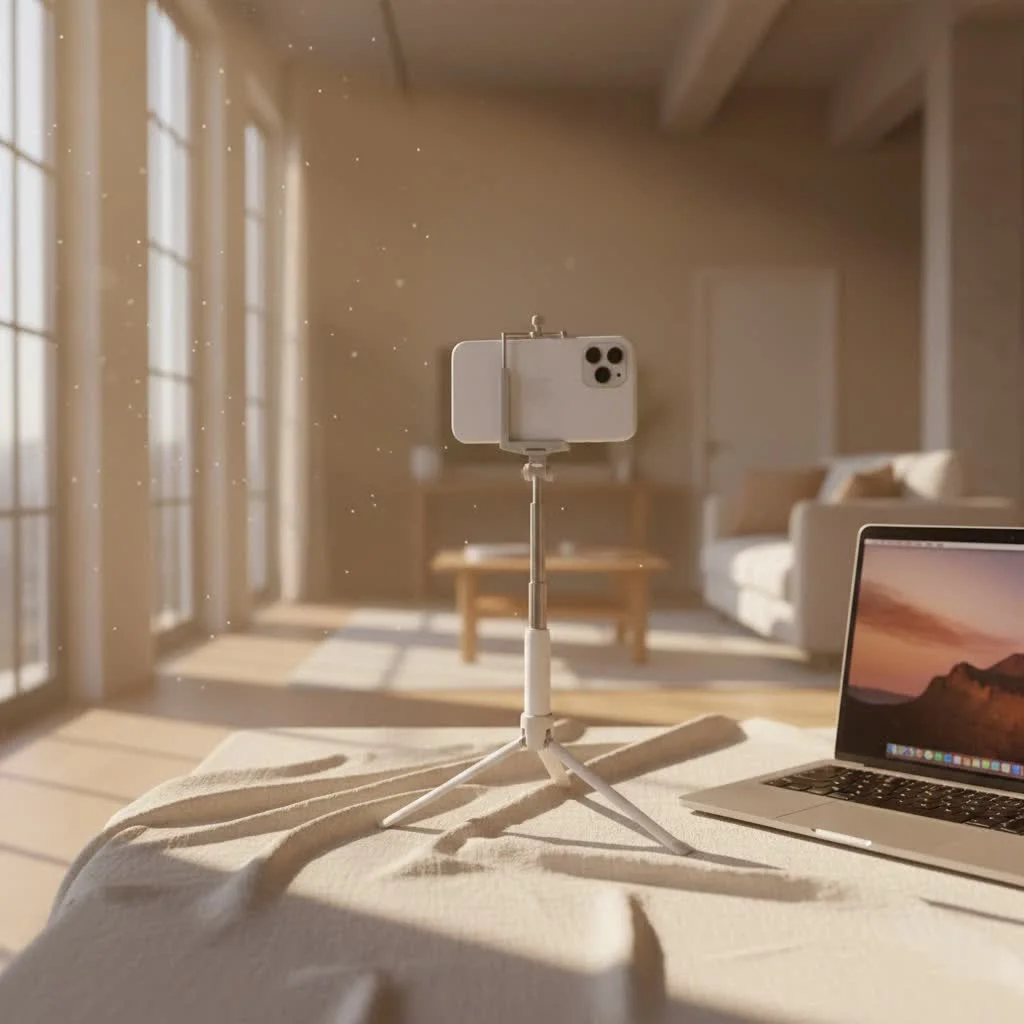
As a seasoned photographer and tech enthusiast, I’ve witnessed firsthand the rise and evolution of portable camera accessories. The Yoozon selfie stick has consistently carved out a niche for itself as a popular, versatile, and remarkably budget-friendly option. It’s more than just a stick; it’s often a 2-in-1 marvel, seamlessly blending selfie stick convenience with tripod stability, ensuring you’re always ready to capture stunning photos and smooth videos.
The Versatile World of Yoozon Selfie Sticks
What truly sets the Yoozon selfie stick apart in a crowded market? It’s a combination of thoughtful engineering and user-centric design that addresses the core needs of modern content creators, travelers, and casual users alike.
What Makes Yoozon Stand Out?
The primary appeal of many Yoozon models lies in their innovative “triple function” design. These devices aren’t just for extending your reach; they often integrate a standing phone tripod and can even serve as a desktop phone holder for video calls. This multi-functionality means you get more bang for your buck, making it an indispensable tool for various scenarios. Its compact and portable nature, combined with an integrated tripod and a detachable Bluetooth remote, makes it a compelling choice for anyone looking to up their photo and video game without breaking the bank.
Diving Deeper: Key Features of the Yoozon Selfie Stick
Let’s unpack the individual elements that contribute to the Yoozon selfie stick’s widespread appeal, delving into the specifics that empower you to create compelling content.
Compactness and Portability: Your Everyday Companion
One of the most praised aspects of the Yoozon selfie stick is its incredible portability. Many models, such as the Yoozon AB402, collapse down to an impressively small size, often around 6.5 to 7.9 inches when fully folded. This “magic flute” design, as some users describe it, allows it to slip easily into your pocket, handbag, or backpack without adding significant bulk. Weighing in at a mere 4.7 to 5.6 ounces, you’ll barely notice it’s there until you need it, making it an ideal travel companion for spontaneous shots.
Extendable Reach for Wider Shots
|
Our Picks for the Best Selfie Stick in 2026
As an Amazon Associate I earn from qualifying purchases.
|
||
| Num | Product | Action |
|---|---|---|
| 1 | TONEOF 68\" Magnetic Selfie Stick Tripod with Aluminum Strong Magnetic Holder for Magsafe, 360° Rotatable Travel Phone Tripod Stand with Metal Ring & Rechargeable Remote for iPhone/Android(Black) |

|
| 2 | Phone Tripod & Selfie Stick with Remote, Portable, Lightweight for Video Recording Vlog, Extendable Travel Tripod Stand Compatible with iPhone Android, Black, 62\" |
|
| 3 | TONEOF 68\" Magnetic Selfie Stick Tripod with Aluminum Strong Magnetic Holder for Magsafe, 360° Rotatable Travel Phone Tripod Stand with Metal Ring & Rechargeable Remote for iPhone/Android(Beige Gray) |
|
| 4 | MAGIC JOHN Phone Tripod, Portable Selfie Stick, Pocket Size Tripod for iPhone, Selfie Stick with Detachable Remote Control & 2 Fill Light for Photograph, Live Streaming, Video Recording |
|
| 5 | ATUMTEK Selfie Stick Tripod, 3-in-1 Extendable Aluminum Phone Tripod with Detachable Bluetooth Remote, Compatible with iPhone 17/16/15/14/13/12/11/11 Pro/XS Max/XR and Samsung Smartphones, Black |
|
| 6 | LỖI |
|
| 7 | Phone Tripod Stand with Bluetooth Remote, Selfie Stick for iPhone & Android, One-Click Open Portable Lightweight Tripod for Vlog Travel Photography (White) |
|
| 8 | Selfie Stick Travel Tripod for Cell Phone with Remote Control and Phone Holder, Extendable Selfie Stick for iPhone, iPhone Tripod for Video Recording, 50 Inch, Black |
|
| 9 | SelfieShow Selfie Stick, Extendable Selfie Stick Tripod with Wireless Remote and Tripod Stand, Portable, Lightweight, Compatible with iPhone 15 14 13 12 Pro Xs Max X 8Plus, Samsung Smartphone and More |
|
| 10 | ULANZI SK27 Extendable Phone Tripod, 61\" Selfie Stick for iPhone, 2 in 1 Adjustable Tripod with Bluetooth Remote Cold Shoe Mount, Portable Phone Stand Lightweight for Travel Photo Video Stream Vlog |
|
The telescopic pole of the Yoozon selfie stick offers a generous extension range, typically expanding from its compact form to lengths between 25.2 and 28.7 inches. This extended reach is crucial for capturing wider group photos, encompassing more of a scenic background, or simply getting a better perspective than your arm alone can provide. While extending it fully might introduce a slight wobble, especially in windy conditions, it generally performs well for casual use and provides ample distance for most photographic needs.
The Power of the Detachable Bluetooth Remote
No more awkward self-timers or reaching for your phone screen! Most Yoozon selfie sticks come equipped with a detachable wireless Bluetooth remote control. This tiny but mighty accessory typically has an effective range of up to 10 meters (approximately 33 feet), giving you the freedom to step back and frame your shots perfectly without being tethered to your phone.
How to Pair Your Yoozon Bluetooth Remote:
Pairing is usually straightforward:
- Turn on the remote by pressing and holding the button until an indicator light flashes.
- On your smartphone, enable Bluetooth and search for devices like “YOOZON S10” or “Yoozon” or “WS-SQB645B”.
- Select and connect. The light will usually become solid or turn off once paired.
- Ensure your phone’s volume button is set to act as the shutter button for seamless operation.
The remote is often powered by a built-in lithium battery (e.g., 65mAh) and can be conveniently recharged via a Micro USB port, ensuring it’s always ready for your next photo session.
Flexible Framing: 360° Rotatable Phone Holder
Composition is key in photography, and the Yoozon selfie stick understands this. Its phone holder typically boasts a 360-degree rotation capability, allowing you to effortlessly switch between horizontal (landscape) and vertical (portrait) orientations. This flexibility is a game-changer for diverse content creation, whether you’re shooting wide-angle landscapes, full-body portraits, or live streaming in vertical format. Many models also include a 1/4 screw and even a cold shoe interface on the phone holder, opening up possibilities to attach external accessories like microphones or fill lights for a more professional setup.
Beyond the Arm: Integrated Tripod Functionality
One of the standout features that elevates the Yoozon selfie stick beyond its basic function is the integrated tripod. The handle cleverly unfolds into stable legs, transforming your selfie stick into a compact tripod stand in seconds.
When to Use Tripod Mode:
- Group Photos: No one gets cut out of the frame!
- Stable Videos: Ideal for vlogging, tutorials, or video calls.
- Time-Lapses: Capture dynamic changes over time without shaky footage.
- Low-Light Photography: Achieve sharper images by eliminating camera shake.
While the tripod offers decent stability for its size and price, it’s generally best suited for flat, stable surfaces. When fully extended, the stability might be compromised, so using it at half-length or on a very solid base can provide better results.
Choosing Your Ideal Yoozon Selfie Stick: What to Consider
With a variety of models available, selecting the perfect Yoozon selfie stick can feel daunting. Here’s what I advise my readers to think about when making their choice.
Assessing Your Needs: Selfie Stick vs. Tripod-Combo
Before you buy, consider your primary use. Are you mainly looking for a simple extension for quick selfies, or do you need the added stability of a tripod for vlogging, group shots, or more professional content? Many Yoozon models offer the 2-in-1 combo, providing excellent value for diverse needs. If you’re a casual user, almost any Yoozon model will suffice, but if you’re an aspiring vlogger, prioritize models with stronger tripod legs and accessory mounts.
Compatibility with Your Smartphone
Yoozon selfie sticks are designed with broad compatibility in mind. Most models accommodate phones ranging from 3.5 to 6.5 inches wide, covering the majority of modern smartphones, including various iPhone and Samsung Galaxy series. The Bluetooth remote is also widely compatible with both iOS (version 6.0 and above) and Android (version 4.4 and above) devices, meaning you can connect without needing extra apps. Always double-check the specifications to ensure your specific phone model will fit securely.
Durability and Build Quality
Given its accessible price point (often around $15-$20), the Yoozon selfie stick offers a reasonable build for its cost. The telescopic pole is typically made from aluminum alloy, while the handle and phone holder are often plastic. Reviewers often note that while it’s generally sturdy enough for light to moderate use, the tripod legs can feel a bit flimsy when fully extended, and the plastic handle might be prone to slippage for those with sweaty hands. If you require extreme durability or plan to use it with heavier devices like DSLR cameras (which it’s generally not designed for), you might consider more robust, higher-priced alternatives like certain Fugetek models for added sturdiness and padded handles.
Budget and Value for Money
The Yoozon selfie stick truly shines in its price-to-quality ratio. For around $15-$20, you receive a highly functional 2-in-1 device that combines portability, extendable reach, a wireless remote, and a tripod. While it may not boast a premium feel or extreme durability, it delivers on its promise of making photography and videography more accessible and convenient. For casual users, travelers, and those starting their content creation journey, the value offered is exceptional.
Elevate Your Content: Pro Tips for Using Your Yoozon Selfie Stick
Having tested countless selfie sticks over the years, I can tell you that the right technique can transform a good photo into a great one. Here are some pro tips to get the most out of your Yoozon selfie stick.
Mastering the Art of the Selfie
- Angles are Everything: Experiment with different stick lengths and phone holder angles. For a flattering look, try holding the stick slightly above eye level and tilting the phone downwards.
- Embrace Natural Light: Position yourself so the light source is in front of you, illuminating your face. Avoid harsh midday sun directly overhead, which can create unflattering shadows.
- Rule of Thirds: Imagine a tic-tac-toe grid on your screen. Position yourself or key elements along these lines or at their intersections for a more balanced and dynamic composition.
- Use the Remote: The detachable Bluetooth remote is your best friend. It eliminates camera shake from pressing your phone’s shutter button, resulting in sharper, blur-free selfies and photos.
Capturing Dynamic Videos and Vlogs
- Smooth Movements: When shooting video while holding the stick, try to move slowly and steadily. Practice “walking like a ninja” (bending your knees slightly) to minimize jerky movements.
- Tripod for Stability: For interviews, tutorials, or any static shots, deploy the integrated tripod. This provides rock-solid stability, essential for professional-looking video.
- Accessorize (If Applicable): If your Yoozon model has a 1/4 screw or cold shoe mount, consider adding a small LED light for better illumination or a compact microphone for clearer audio. This can dramatically improve your video quality.
Group Shots and Creative Perspectives
- Inclusive Group Photos: Extend the Yoozon selfie stick to its maximum length and use the tripod mode with the remote. This ensures everyone fits into the frame comfortably, even large groups.
- Unique Angles: Don’t just hold it straight out. Try holding it low for dramatic ground-level shots or high overhead for a drone-like perspective. The 360° rotating head allows for incredible creative freedom.
- Patience and Experimentation: The best shots often come from trying different things. Don’t be afraid to experiment with angles, poses, and lighting until you find what works best.
“As a seasoned photographer, I’ve seen countless gadgets come and go, but the Yoozon selfie stick truly democratizes dynamic content creation. Its blend of portability and integrated tripod functionality means you’re always ready, turning everyday moments into cinematic memories.” – Eleanor Vance, Senior Content Strategist at Spaod.com
Maintenance and Care for Your Yoozon Selfie Stick
To ensure your Yoozon selfie stick serves you well for countless photos and videos, a little care goes a long way.
- Cleaning and Storage: After use, especially outdoors, gently wipe down the pole and phone holder with a soft, dry cloth to remove any dust or grime. When not in use, collapse it fully and store it in a cool, dry place to protect it from extreme temperatures and physical damage.
- Battery Care for the Remote: The remote’s lithium battery is rechargeable. Make sure to charge it periodically, especially before long trips, to avoid running out of power mid-shoot. Use the provided Micro USB cable and avoid overcharging. If your remote uses a coin cell battery, keep spare ones handy.
- Handling the Telescopic Pole and Tripod Legs: Extend and retract the telescopic pole gently to prevent wear and tear. When using the tripod, ensure the legs are fully deployed on a flat, stable surface to maximize stability. Avoid placing it on uneven ground or in strong winds, as this can cause it to tip over and damage your phone.
Frequently Asked Questions (FAQ)
Q: How do I pair my Yoozon selfie stick with my phone?
A: Turn on the remote by holding its button until the light flashes. On your phone, enable Bluetooth and select “YOOZON S10” or similar from the list of available devices. The remote should pair within seconds.
Q: Can I use the Yoozon selfie stick with a GoPro or action camera?
A: Yoozon selfie sticks are primarily designed for smartphones. While some models may feature a 1/4 screw mount which could technically attach a GoPro adapter, they typically don’t include native GoPro mounts. Always check specific product details if this is a priority.
Q: How long does the remote battery last, and how do I charge it?
A: The remote’s built-in lithium battery typically lasts for many hours of use on a single charge. It usually charges via a Micro USB cable (often included) and takes approximately 30-45 minutes to fully charge.
Q: Is the Yoozon selfie stick waterproof?
A: No, the Yoozon selfie stick is generally not waterproof. It’s designed for general outdoor use, but prolonged exposure to water or submersion should be avoided to prevent damage to the electronics and telescopic mechanism.
Q: What is the maximum weight the phone holder can support?
A: The phone holder is designed to securely hold smartphones within its specified size range (typically 3.5-6.5 inches wide). While it can hold these phones firmly, it’s not intended for heavy cameras or devices, as this could compromise the stick’s stability and potentially cause damage.
Q: Why is my Yoozon selfie stick’s tripod unstable?
A: Instability often occurs if the tripod legs are not fully extended, if the stick is at its maximum extension, or if it’s placed on an uneven surface. Ensure the legs are locked, consider reducing the extended length, and find a flat, stable base for optimal stability.
Q: Can I replace the remote battery?
A: Many Yoozon remotes feature a built-in, rechargeable lithium battery, which is not user-replaceable. However, some older or simpler models might use a replaceable coin cell battery (e.g., CR1620), and these often come with a spare.
Capture Every Moment with Confidence
The Yoozon selfie stick proves that great things often come in small, affordable packages. Its intuitive blend of a compact design, extendable reach, a reliable Bluetooth remote, and integrated tripod functionality makes it an indispensable tool for anyone eager to capture life’s big and small moments. It’s not just about taking selfies; it’s about confidently documenting your experiences, sharing your perspective, and creating lasting memories with ease.
So, whether you’re embarking on a grand adventure, enjoying a quiet family gathering, or simply want to elevate your daily vlogging, the Yoozon selfie stick is ready to be your trusty companion. Head over to Spaod.com for more detailed reviews, usage guides, and creative photography tips to help you make the most of your gear and master the art of captivating content.
Get our weekly buyer guide
Practical specs, not advice. Unsubscribe anytime.

This selfie stick is pretty solid for the price. I was looking for something budget-friendly that still felt durable, and the Yoozon delivers. The remote shutter works perfectly with my iPhone, which is a huge plus. My only minor gripe is that it feels a little less sturdy when fully extended, but for most uses, it’s perfectly fine.
I’ve been using the Yoozon selfie stick for a few weeks now, and it’s a game-changer for my travel photos. The 2-in-1 selfie stick and tripod feature is incredibly handy. I used to struggle with getting everyone in the shot, but now it’s super easy to set up for group photos or even just stable solo shots against a cool background. Definitely recommend it for anyone who travels a lot!
As a tech enthusiast, I’m always skeptical of ‘budget-friendly’ claims, but the Yoozon selfie stick genuinely impressed me. The versatility of being both a stick and a tripod is fantastic for capturing those ‘visually driven’ moments without needing multiple gadgets. It connects quickly via Bluetooth and holds my phone securely. Great value!
I bought the Yoozon after seeing it mentioned for its smart design. It’s decent for quick selfies, but I found the phone clamp a bit tight for my larger phone case. I have to take my case off sometimes, which is a bit of a hassle. The tripod function is good though, and it’s compact enough to throw in my bag.