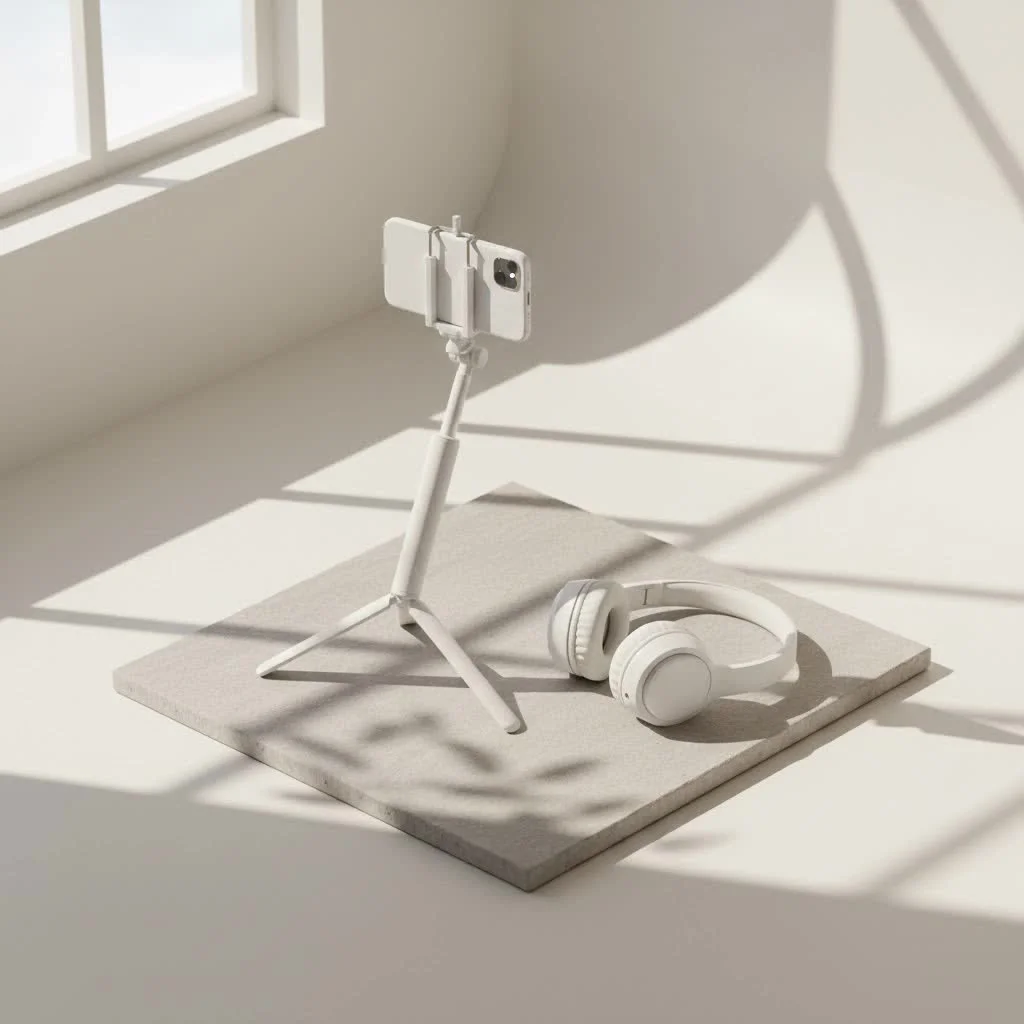
A monopod selfie stick is a versatile photography accessory that combines the extended reach of a traditional monopod with features tailored for smartphones and action cameras, allowing users to capture stable, wide-angle, and unique perspective shots. These devices typically extend from 20 to over 60 inches and often include a phone clamp, remote shutter control, and sometimes an integrated tripod base for enhanced stability.
What Exactly is a Monopod Selfie Stick? (And Why It’s More Than Just a Stick)
Let’s clear up some confusion right off the bat. The terms “monopod” and “selfie stick” are often used interchangeably, but there’s a nuanced difference. Think of it this way: all oranges are fruit, but not all fruit are oranges. Similarly, a selfie stick is a type of monopod, but not every monopod is designed for selfies.
Traditionally, a monopod is a single-legged support primarily used by photographers and videographers to stabilize heavier cameras like DSLRs or camcorders, especially in situations where a full tripod is too cumbersome or slow to set up. It helps reduce camera shake and allows for sharper images at slower shutter speeds or with longer lenses.
A monopod selfie stick, however, is a modern hybrid. It combines the extendable pole concept of a traditional monopod with features specifically tailored for smartphones and action cameras. These often come with a clamp to secure your phone, and critically, a way to trigger your camera’s shutter remotely. Many contemporary monopod selfie sticks even integrate a small tripod base, effectively making them a 2-in-1 or 3-in-1 device that offers both extended reach and hands-free stability.
“In my ten years of hands-on experience, the evolution of the monopod selfie stick has been fascinating. It’s no longer just a simple arm extender; it’s a versatile tool that bridges the gap between casual smartphone photography and more professional content creation,” shares Eleanor Vance, Senior Gear Reviewer at Spaod.com.
Key Features to Look for in Your Next Monopod Selfie Stick
Choosing the right monopod selfie stick can feel a bit overwhelming with so many options out there. As someone who’s tested countless models, I’ve identified the core features that truly make a difference.
Length and Stability: Reaching New Heights (and Angles)
Why does extension length matter? The longer a monopod selfie stick can extend, the more creative freedom you have for wide-angle group shots, expansive landscapes, or even elevated “drone-like” perspectives. Most models range from 20 to over 60 inches in extension, but it’s equally important to consider how compact it folds down for portability.
What about stability? A flimsy stick is a photographer’s nightmare. Look for models made from durable materials like aluminum alloy or carbon fiber, which offer a good balance of strength and lightness. Ensure the telescopic sections lock securely to prevent wobbling, especially when fully extended. This rigidity is vital for sharp images and steady video footage.
Shutter Control: Wired, Wireless, and Why it Matters
|
Our Picks for the Best Selfie Stick in 2026
As an Amazon Associate I earn from qualifying purchases.
|
||
| Num | Product | Action |
|---|---|---|
| 1 | Phone Tripod & Selfie Stick with Remote, Portable, Lightweight for Video Recording Vlog, Extendable Travel Tripod Stand Compatible with iPhone Android, Black, 62\" |

|
| 2 | Selfie Stick Travel Tripod for Cell Phone with Remote Control and Phone Holder, Extendable Selfie Stick for iPhone, iPhone Tripod for Video Recording, 50 Inch, Black |
|
| 3 | SelfieShow Selfie Stick, Extendable Selfie Stick Tripod with Wireless Remote and Tripod Stand, Portable, Lightweight, Compatible with iPhone 15 14 13 12 Pro Xs Max X 8Plus, Samsung Smartphone and More |
|
| 4 | TONEOF 68\" Magnetic Selfie Stick Tripod with Aluminum Strong Magnetic Holder for Magsafe, 360° Rotatable Travel Phone Tripod Stand with Metal Ring & Rechargeable Remote for iPhone/Android(Beige Gray) |
|
| 5 | Phone Tripod Stand with Bluetooth Remote, Selfie Stick for iPhone & Android, One-Click Open Portable Lightweight Tripod for Vlog Travel Photography (White) |
|
| 6 | ATUMTEK Selfie Stick Tripod, 3-in-1 Extendable Aluminum Phone Tripod with Detachable Bluetooth Remote, Compatible with iPhone 17/16/15/14/13/12/11/11 Pro/XS Max/XR and Samsung Smartphones, Black |
|
| 7 | TONEOF 68\" Magnetic Selfie Stick Tripod with Aluminum Strong Magnetic Holder for Magsafe, 360° Rotatable Travel Phone Tripod Stand with Metal Ring & Rechargeable Remote for iPhone/Android(Black) |
|
| 8 | LỖI |
|
| 9 | ULANZI SK27 Extendable Phone Tripod, 61\" Selfie Stick for iPhone, 2 in 1 Adjustable Tripod with Bluetooth Remote Cold Shoe Mount, Portable Phone Stand Lightweight for Travel Photo Video Stream Vlog |
|
| 10 | MAGIC JOHN Phone Tripod, Portable Selfie Stick, Pocket Size Tripod for iPhone, Selfie Stick with Detachable Remote Control & 2 Fill Light for Photograph, Live Streaming, Video Recording |
|
How do you trigger the shot when your phone is extended far away? This is where shutter control comes in. There are generally two types:
- Bluetooth Wireless Remotes: These are the most common and convenient. A small, often detachable, remote pairs wirelessly with your phone, allowing you to trigger the shutter from a distance. Look for remotes with good battery life (CR2032 button batteries are common) and a reliable connection range (around 33 feet).
- Wired Connections: Some older or simpler monopod selfie sticks connect to your phone via its headphone jack. These are “plug and play” and don’t require charging, but they’re less common now due to the removal of headphone jacks on many modern smartphones.
Versatility: Phone, GoPro, or Even a Small Camera?
Can a monopod selfie stick hold more than just my phone? Absolutely! Many premium monopod selfie sticks are designed to be highly versatile.
- Phone Mounts: Ensure the clamp securely grips your smartphone, even with a case, and allows for both horizontal and vertical orientation.
- Action Camera Compatibility: Look for a standard 1/4″-20 screw mount or an included adapter to attach your GoPro or other action cameras.
- Lightweight Cameras: Some robust models can even support small mirrorless cameras or compact DSLRs, offering professional-grade stability on the go.
Build Quality & Materials: Durability for Your Adventures
What materials should I look for? The construction material directly impacts the monopod selfie stick’s durability and weight.
- Aluminum Alloy: A common choice, offering good strength and relatively light weight.
- Carbon Fiber: Often found in higher-end models, carbon fiber is exceptionally lightweight and strong, making it ideal for extended use and travel.
- Grip: A comfortable, non-slip handle is essential for secure handling, especially during active shoots.
The Tripod Advantage: Steady Shots, Hands-Free Freedom
Why would I need a tripod with my selfie stick? This feature transforms your monopod selfie stick into an incredibly versatile tool.
- Hands-Free Photography: Perfect for timed group photos, stable video recording, vlogging, or live streaming.
- Enhanced Stability: A wide, sturdy tripod base minimizes shake, crucial for crisp photos and smooth video, especially in windy conditions.
- Creative Setups: Position your camera for unique perspectives without having to hold the stick.
How to Maximize Your Monopod Selfie Stick for Stunning Photos & Videos
Now that you know what to look for, let’s talk about putting your monopod selfie stick to work and capturing truly amazing content.
Getting Started: Setup and Pairing Your Device
How do I get my monopod selfie stick ready to shoot? The process is generally straightforward:
- Charge (if Bluetooth): If your monopod selfie stick has a Bluetooth remote, ensure it’s fully charged. An LED indicator usually signals when it’s ready.
- Extend Safely: Gently extend the telescopic pole to your desired length. Avoid forcing it and make sure all sections lock securely into place for maximum stability.
- Secure Your Phone: Place your smartphone firmly into the phone mount. Ensure it’s snug and won’t slip out. Adjust the holder to fit your phone snugly, even with a case.
- Connect (Wired or Bluetooth):
- Wired: Plug the 3.5mm cable into your phone’s headphone jack.
- Bluetooth: Turn on Bluetooth on your phone and the selfie stick remote. Search for the device on your phone and pair them. The name might be something like “AB Shutter” or a model number.
- Open Camera App: Launch your phone’s native camera application. If you have issues with a wired connection, try a third-party camera app like Camera360.
- Test the Shutter: Press the shutter button on the stick or remote to confirm it’s working.
Mastering Creative Angles and Perspectives
How can I make my photos more interesting with a monopod selfie stick? Don’t just hold it straight out!
- High-Angle Shots: Extend the stick overhead for a unique perspective that makes subjects look smaller and environments more expansive. This can mimic a low-flying drone shot.
- Low-Angle Shots: Get down low for dramatic views, perfect for capturing pets, children, or interesting ground textures.
- Group Inclusions: The extended reach is perfect for fitting more people into your group selfies without anyone being cut out.
- Over-the-Shoulder Shots: For vlogging, this provides an immersive “point-of-view” perspective that draws viewers into your experience.
Lighting & Composition: Elevating Your Shots
What about the basics of good photography? A monopod selfie stick won’t replace good technique.
- Mind Your Lighting: Always be aware of your light source. Natural light is often your best friend. Avoid shooting directly into the sun unless you’re aiming for a silhouette.
- Rule of Thirds: Even with a selfie stick, compose your shots with the rule of thirds in mind. Place your subject off-center for more dynamic and engaging photos.
- Clean Your Lens: Before every shoot, quickly wipe your phone’s camera lens. A smudge can ruin an otherwise perfect shot.
Group Photos and Wide Shots: No One Left Out
Tired of someone always being cut out of the frame? The extended reach of a monopod selfie stick solves this problem effortlessly. By positioning the camera further away, you can capture wider scenes and include everyone in your memorable group moments, from family gatherings to adventures with friends.
Stability Secrets: Keeping Your Shots Sharp
How do I prevent blurry photos and shaky videos?
- Use the Wrist Strap: If your monopod selfie stick has one, use it! It provides an extra layer of security and stability, especially when extending the stick far out.
- Engage the Tripod: When possible, deploy the integrated tripod legs. This is the ultimate way to achieve hands-free stability for static shots or video.
- Don’t Overextend Carelessly: While length is great, extreme extension can sometimes introduce wobble. Find the sweet spot that provides your desired angle without compromising stability.
- Hold Firmly: Maintain a steady, comfortable grip on the handle.
Choosing the Perfect Monopod Selfie Stick: A Buyer’s Guide
With all these insights, how do you pick the “one”?
- Define Your Primary Use:
- Casual User: Focus on portability, ease of use, and smartphone compatibility.
- Traveler/Vlogger: Prioritize strong build quality, compact folded size, decent extension, and potentially tripod functionality.
- Action/Adventure Enthusiast: Look for robust construction, water resistance (if applicable), and action camera mounts.
- Content Creator (Prosumer): Seek out higher load capacities, carbon fiber construction, longer extensions, and stable tripod bases for more serious gear.
- Consider Your Devices: Ensure the phone clamp fits your phone (with its case) and check for compatibility with other cameras you might use.
- Wired vs. Bluetooth: Most modern users will opt for Bluetooth for convenience, but if you prefer simplicity and never want to worry about charging, a wired option might suit you if your phone has a headphone jack.
- Budget: Monopod selfie sticks range from budget-friendly options to professional-grade gear. Determine what features are essential for your needs and invest accordingly. Remember, sometimes spending a little more for durability and stability pays off in the long run.
Maintenance and Care: Keep Your Gear Ready for Action
Just like any other piece of photography equipment, your monopod selfie stick will benefit from a little TLC.
- Clean Regularly: Wipe down the pole and handle after use, especially if used outdoors.
- Check Connections: Periodically inspect the phone mount and any screw connections to ensure they are tight.
- Store Properly: When not in use, collapse the stick to its most compact size and store it in a dry, safe place to prevent damage.
- Charge Bluetooth Remotes: If your remote has a rechargeable battery, top it up before big trips. If it uses a replaceable coin battery, carry a spare.
Frequently Asked Questions
Are all selfie sticks monopods?
No, not all selfie sticks are monopods. While a selfie stick is essentially a specialized type of monopod designed for smartphones, a traditional monopod is a single-legged support typically used for heavier cameras to provide stability without the bulk of a tripod.
Can I use a monopod for a DSLR as a selfie stick?
While a monopod designed for a DSLR often has a universal screw mount (1/4″-20) that could attach a phone holder, it might lack the integrated remote shutter control and optimized balance for phone selfies. Also, they can be heavier and bulkier than a dedicated selfie stick.
How long do monopod selfie sticks typically extend?
The extension length varies greatly, but most monopod selfie sticks for smartphones extend between 20 to 60 inches (approximately 50 to 150 cm). Some professional models, especially those for 360 cameras, can extend even further.
What’s the best way to get stable footage with a monopod selfie stick?
For the most stable footage, utilize a monopod selfie stick with an integrated tripod base and deploy the legs. If handheld, ensure all telescopic sections are securely locked, hold the stick firmly with both hands if possible, and use any included wrist straps for added security.
Wired vs. Bluetooth: Which is better?
Bluetooth offers greater convenience and freedom of movement as it’s wireless and often detachable, allowing you to trigger the shutter from a distance. Wired connections are “plug and play” and don’t require charging but are limited by cable length and the presence of a headphone jack on your phone. Most modern users prefer Bluetooth.
Conclusion
The monopod selfie stick has transcended its initial reputation to become an indispensable tool for photographers and content creators alike. From capturing expansive group shots and breathtaking landscapes to creating professional-looking vlogs and stable time-lapses, its versatility is unmatched. By understanding the key features, mastering proper usage, and choosing a model that fits your unique needs, you’re not just buying a stick—you’re investing in a powerful extension of your creative vision. So go ahead, experiment, explore, and let your monopod selfie stick help you tell your story, one perfectly framed shot at a time. What amazing adventures will you capture next?
Get our weekly buyer guide
Practical specs, not advice. Unsubscribe anytime.

Finally, a selfie stick that feels like a proper photography accessory! I used to think they were all just flimsy sticks, but the stability of this monopod is fantastic. It extends really far, which is awesome for group photos, and it doesn’t feel like it’s going to snap. Capturing unique perspective shots has never been easier.
I just got back from a trip to Italy and my new monopod selfie stick was an absolute game-changer! I loved being able to get those wide-angle shots of the Colosseum without having to ask strangers. The remote shutter control worked flawlessly with my iPhone, making it super easy to snap pics from a distance. Definitely recommend for any traveler!
This monopod selfie stick is pretty good for the price, but I found the integrated tripod base a little flimsy. It’s fine for quick shots, but I wouldn’t trust it in windy conditions or on uneven ground. The extension up to 60 inches is great though, really helps get those higher perspective shots. Just wish the tripod part was more robust.
I was looking for something that could handle both my smartphone and my action camera, and this monopod selfie stick fits the bill perfectly. The phone clamp is secure, and it’s easy to switch between devices. It’s much more versatile than my old basic selfie stick. I’ve been using it for all my hiking videos and it’s been great for stable footage.