As a professional photographer and dedicated tech enthusiast, with over a decade immersed in the world of selfie sticks, I’ve seen these unassuming gadgets evolve from simple extendable poles into sophisticated tools that redefine how we capture our memories. Here at Spaod.com, we’re passionate about helping you master every aspect of your photography, and today, we’re diving deep into the art of the perfect Selfie Stick Photo. Forget awkward arm stretches and missed shots; it’s time to elevate your photo game and truly tell your story.
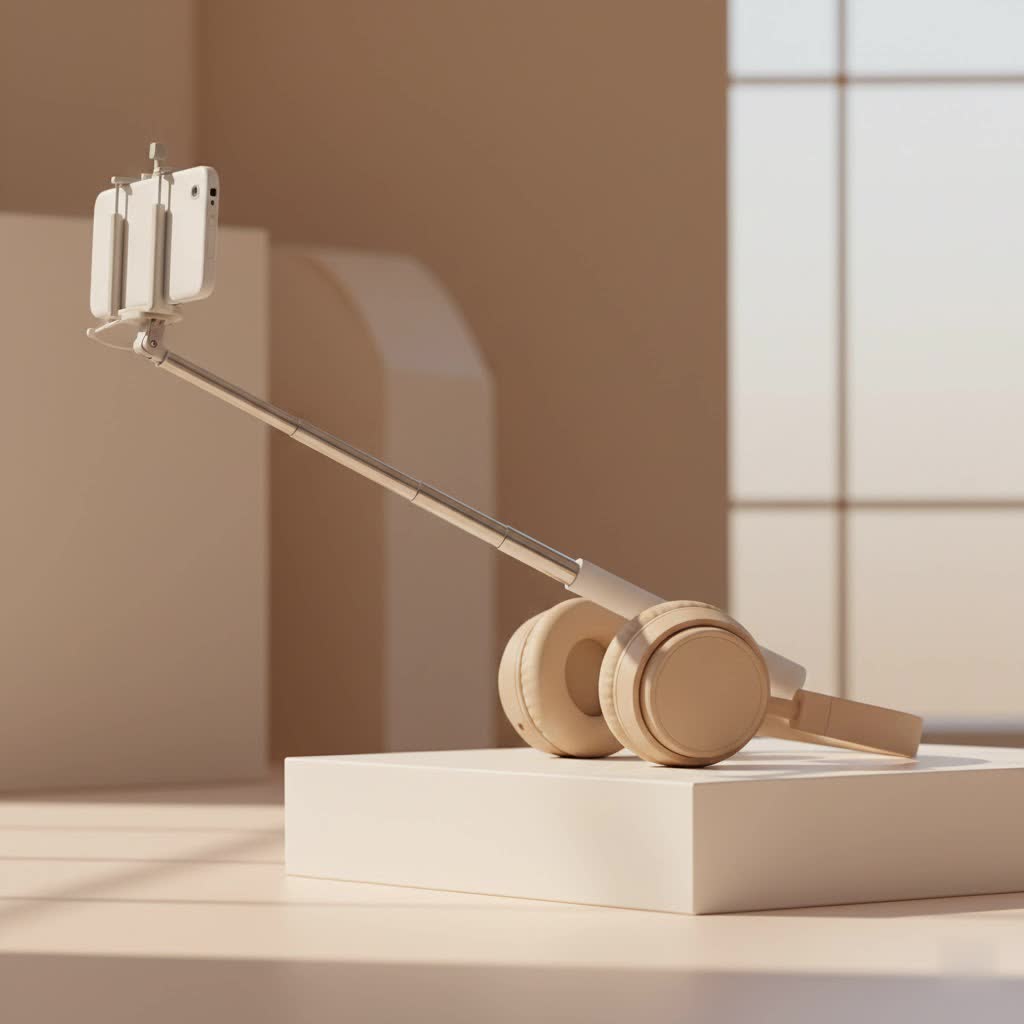
The Evolving World of Selfie Sticks: More Than Just a Pole
Gone are the days when a selfie stick was just a novelty. Today, it’s an indispensable part of any photographer’s kit, whether you’re a seasoned traveler, a burgeoning vlogger, or simply someone who loves snapping vibrant moments with friends and family. Why the transformation? Because a quality selfie stick offers so much more than just extended reach. It grants you:
- Extended Reach: Finally, get everyone in the group shot, or capture that majestic landscape behind you without cutting off half the view.
- Perfect Angles: Your arm can only go so far! Selfie sticks unlock higher, wider, and more creative perspectives that your arm simply can’t achieve.
- Stabilized Shots: Many modern sticks come with features that minimize shake, leading to clearer, crisper photos and smoother videos.
- Hands-Free Options: With integrated tripods and remote controls, you can step away from the device and still capture a perfectly framed shot.
The sheer variety available now means there’s a selfie stick for every need and every adventure. Let’s break down the popular types you’ll encounter.
Popular Types of Selfie Sticks for Photography
When you’re looking to capture that stellar selfie stick photo, understanding the different types of sticks available is crucial. Each offers unique advantages:
- Wired Selfie Sticks: These are the simplest. They typically plug into your phone’s headphone jack (or sometimes the charging port) and use a physical button on the handle to trigger the shutter. They’re straightforward, reliable, and don’t require charging, but compatibility can be an issue with newer phones lacking a headphone jack.
- Bluetooth Selfie Sticks: The most common type today, these connect wirelessly to your smartphone via Bluetooth. They usually feature a remote shutter button, either built into the handle or detachable. This offers greater freedom and less cable clutter, though you do need to remember to charge them.
- Selfie Stick Tripods (2-in-1 Functionality): A personal favorite, these versatile sticks combine the extendable pole with fold-out legs, transforming into a mini-tripod. Ideal for stable group photos, time-lapses, or situations where you want to be hands-free, they’re a game-changer for solo travelers and content creators alike.
- Specialized Sticks: Some sticks are designed for specific uses, like those compatible with action cameras (think GoPros) or models with advanced stabilization gimbals for buttery-smooth video footage, often incorporating additional mounting points for lights or microphones.
|
Our Picks for the Best Selfie Stick in 2026
As an Amazon Associate I earn from qualifying purchases.
|
||
| Num | Product | Action |
|---|---|---|
| 1 | ATUMTEK Selfie Stick Tripod, 3-in-1 Extendable Aluminum Phone Tripod with Detachable Bluetooth Remote, Compatible with iPhone 17/16/15/14/13/12/11/11 Pro/XS Max/XR and Samsung Smartphones, Black |

|
| 2 | TONEOF 68\" Magnetic Selfie Stick Tripod with Aluminum Strong Magnetic Holder for Magsafe, 360° Rotatable Travel Phone Tripod Stand with Metal Ring & Rechargeable Remote for iPhone/Android(Beige Gray) |
|
| 3 | Selfie Stick Travel Tripod for Cell Phone with Remote Control and Phone Holder, Extendable Selfie Stick for iPhone, iPhone Tripod for Video Recording, 50 Inch, Black |
|
| 4 | ULANZI SK27 Extendable Phone Tripod, 61\" Selfie Stick for iPhone, 2 in 1 Adjustable Tripod with Bluetooth Remote Cold Shoe Mount, Portable Phone Stand Lightweight for Travel Photo Video Stream Vlog |
|
| 5 | Phone Tripod Stand with Bluetooth Remote, Selfie Stick for iPhone & Android, One-Click Open Portable Lightweight Tripod for Vlog Travel Photography (White) |
|
| 6 | TONEOF 68\" Magnetic Selfie Stick Tripod with Aluminum Strong Magnetic Holder for Magsafe, 360° Rotatable Travel Phone Tripod Stand with Metal Ring & Rechargeable Remote for iPhone/Android(Black) |
|
| 7 | LỖI |
|
| 8 | SelfieShow Selfie Stick, Extendable Selfie Stick Tripod with Wireless Remote and Tripod Stand, Portable, Lightweight, Compatible with iPhone 15 14 13 12 Pro Xs Max X 8Plus, Samsung Smartphone and More |
|
| 9 | Phone Tripod & Selfie Stick with Remote, Portable, Lightweight for Video Recording Vlog, Extendable Travel Tripod Stand Compatible with iPhone Android, Black, 62\" |
|
| 10 | MAGIC JOHN Phone Tripod, Portable Selfie Stick, Pocket Size Tripod for iPhone, Selfie Stick with Detachable Remote Control & 2 Fill Light for Photograph, Live Streaming, Video Recording |
|
Choosing Your Perfect Companion: What to Look for in a Selfie Stick
Picking the right selfie stick isn’t just about grabbing the first one you see. It’s an investment in your photographic memories. Here’s how to ensure you choose a stick that will help you take phenomenal selfie stick photos every time.
How to Choose a Selfie Stick for Your Photos
- Stability and Build Quality: This is non-negotiable. A wobbly, flimsy stick risks blurry photos and, more importantly, could lead to your precious phone taking an unexpected dive. Look for models made from durable materials like stainless steel or aluminum. Pay close attention to the phone clamp and locking mechanisms; they should be robust and secure, holding your device firmly without obstructing the camera lens.
- Connectivity: Wired vs. Bluetooth Remote: Consider your phone and your habits. If you prefer simplicity and never want to worry about batteries, and your phone has a headphone jack, a wired stick might suit you. However, for maximum flexibility and compatibility with most modern smartphones, a Bluetooth model with a detachable remote is often the better choice. Check the Bluetooth range (10 meters is ideal) and ensure it pairs easily with your device.
- Extension Length and Portability: How long do you need it to be? A longer stick means wider shots and more creative angles, but it might sacrifice portability. Many sticks range from 20 to 40 inches (50-100cm) when extended. For travel, prioritize compactness when collapsed, fitting easily into a bag or even a pocket.
- Added Features: Tripod Function, Fill Lights, Stabilization: Modern selfie sticks often come packed with extras. A built-in tripod is incredibly useful for hands-free shooting. Some even include integrated or detachable fill lights, which can drastically improve your selfie stick photo quality in low-light conditions. For those serious about video, look for gimbals offering electronic stabilization.
- Compatibility: Always double-check that the stick is compatible with your smartphone’s size (especially if you use a bulky case) and operating system. Most universal clamps accommodate phones between 2.2-3.9 inches wide.
Elevate Your Game: Expert Tips for Stunning Selfie Stick Photos
So, you’ve got your ideal selfie stick. Now, let’s unlock its full potential. Taking a great selfie stick photo is an art form, and with these expert tips, you’ll be capturing magazine-worthy shots in no time.
Mastering Angles and Composition
“Angles are everything,” says Amelia Clarke, a renowned travel photographer. “They can literally make or break your selfie. Don’t be afraid to experiment, but always aim for perspectives that flatter your subject and tell a story.”
- Finding Your Best Angle: Experiment! Hold your stick at eye-level for a natural look. A slightly downward angle can often be very flattering, providing a more complimentary look for a portrait shot and helping to reduce harsh shadows. Don’t shy away from higher or lower shots to capture unique perspectives, like an expansive skyline or an interesting foreground.
- Hiding the Stick: The goal is for the stick to be invisible, making your photo look like it was taken by an unseen hand. Angle the camera so the stick is directly below your phone, minimizing its appearance. You can also use creative framing or even some post-processing to crop it out entirely.
- Beyond the “Selfie”: Including Backgrounds and Groups: A selfie stick isn’t just for solo portraits. Use its extended reach to incorporate stunning backdrops into your selfie stick photo. When shooting groups, extend the stick enough to get everyone in frame clearly, avoiding cramped faces. Position yourself slightly off-center to allow the landscape or architecture to truly shine.
Harnessing the Power of Light
Lighting is the cornerstone of any great photograph. With a selfie stick, you have even more control.
- Natural Light is Your Best Friend: Whenever possible, use natural light. Position yourself so the light source (the sun, a window) is in front of you, softly illuminating your face and surroundings. Overcast days are fantastic as they provide a natural diffuser, giving soft, even light.
- Avoiding Harsh Shadows and Backlight: Be mindful of shadows that can obscure your features or create unflattering lines. Avoid placing the sun directly behind you unless you’re intentionally going for a dramatic silhouette or halo effect.
- Using Built-in/External Lighting: If your stick has a fill light or you’re using an external ring light, utilize it! This can dramatically improve the quality of your selfie stick photo in dimly lit environments, ensuring your face is bright and clear.
Ensuring Sharpness and Stability
A shaky hand means a blurry photo. Here’s how to keep things crisp.
- The Right Extension Length: While it’s tempting to stretch the stick to its maximum, overextending can make it wobbly and harder to control. Find a moderate length that gives you the desired framing while maintaining stability.
- Utilizing Remote Shutters and Timers: Pressing the shutter button directly on your phone can introduce camera shake. Always use your selfie stick’s remote shutter or your phone’s built-in timer function (e.g., a 3 or 10-second delay) for a steadier shot.
- Leveraging Tripod Mode and Environmental Support: If your stick has a tripod function, use it for ultimate stability, especially in low light or for group shots where you want to be in the picture. When a tripod isn’t an option, try leveraging your environment—rest the stick on a ledge, rock, or table for added steadiness.
- Keeping Your Lens Clean and Phone Secure: This might sound obvious, but always clean your phone’s camera lens before shooting. Fingerprints and smudges can ruin an otherwise perfect selfie stick photo. And always double-check that your phone is securely clamped to the stick to prevent accidental drops.
Unleashing Your Creativity
A selfie stick is a tool for expression. Don’t be afraid to get creative!
- Action Shots and Dynamic Panning: Capture movement by panning your selfie stick in a swift, controlled motion. This can create a dynamic, energetic vibe, perfect for sporting events or bustling street scenes.
- Playing with Reflections and Unique Perspectives: Use mirrors, puddles, or shiny surfaces to create interesting reflections and add layers to your photos. Experiment with “worm’s eye” (low angle) or “bird’s eye” (high angle) views to offer unique perspectives of familiar subjects.
- Portrait Mode and Filters: If your smartphone has a portrait mode, use it to create a pleasing blurred background, making your subject pop. Don’t be afraid to experiment with your phone’s built-in filters or third-party editing apps to enhance the mood and aesthetic of your selfie stick photo.
- Burst Mode for Group Perfection: For lively group shots, use your phone’s burst mode. It captures multiple frames in quick succession, significantly increasing your chances of getting a shot where everyone looks great and eyes are open.
Maintaining Your Selfie Stick: Longevity for Lasting Memories
Like any piece of valuable equipment, your selfie stick deserves a little TLC to ensure it keeps performing optimally.
- Cleaning and Storage: After a day out, especially if you’ve been in dusty or sandy environments, wipe down your stick with a damp cloth. Make sure the telescopic sections are clean before collapsing to prevent grit from causing damage. Store it in a protective pouch or bag to keep it free from scratches.
- Battery Management (for Bluetooth models): If you have a Bluetooth selfie stick, make sure to charge it regularly, especially before a big outing. Carry a small power bank if you expect heavy usage. Always turn off the Bluetooth function on both your phone and the stick when not in use to conserve battery life.
- Checking for Wear and Tear: Periodically inspect your stick for any signs of damage—loose clamps, stiff telescopic sections, or frayed cables. Addressing minor issues early can prevent bigger problems down the line and ensure the safety of your device.
FAQ: Your Burning Questions Answered
Q: What’s the best length for a selfie stick?
A: The “best” length often depends on your primary use. For solo selfies, a moderate extension (around arm’s length or slightly more) is usually sufficient. For group photos or wide landscape shots, a stick that extends 30-40 inches (75-100cm) offers great versatility.
Q: How do I hide the selfie stick in my photo?
A: To make your selfie stick invisible, try angling it directly beneath your phone during the shot. This minimizes its visibility. You can also strategically crop your selfie stick photo during editing, or use a wide-angle lens to push the stick further out of frame.
Q: Can I use my phone’s rear camera with a selfie stick?
A: Absolutely! Many modern selfie sticks include a small mirror on the phone clamp, allowing you to frame your shot using the higher-quality rear camera. If there’s no mirror, simply use your phone’s timer and practice until you get the perfect shot.
Q: Why are my selfie stick photos blurry?
A: Blurry photos often stem from instability. Ensure your stick is not overextended, hold it steady, and use a remote shutter or timer to minimize camera shake from pressing the phone’s button. Using a stick with built-in stabilization or a tripod function can also help significantly.
Q: Are selfie sticks allowed everywhere?
A: Not always. Many museums, theme parks, and specific public venues prohibit selfie sticks due to safety concerns or to prevent obstruction of views. Always check the rules of your location before extending your stick to avoid any issues.
Q: Wired vs. Bluetooth selfie sticks – which is better for photos?
A: Bluetooth sticks generally offer more freedom and are compatible with most modern phones without headphone jacks. They require charging. Wired sticks are plug-and-play, battery-free, and highly reliable, but their compatibility is limited to phones with a 3.5mm jack or specific charging port support. For most users today, a Bluetooth stick offers greater convenience.
Conclusion: Capture Your World, Your Way
The journey from a simple snapshot to a breathtaking selfie stick photo is an exciting one. With the right equipment, a keen eye for light and angles, and a dash of creativity, you can transform your everyday moments into cherished memories. Remember, your selfie stick isn’t just a gadget; it’s an extension of your creative vision, allowing you to capture the world from perspectives you never thought possible. So go ahead, experiment, explore, and let your unique story unfold through every stunning selfie stick photo you take. We at Spaod.com are here to help you every step of the way. Happy snapping!
