Ever wondered how those incredible “floating camera” shots are captured, making you feel like a drone is effortlessly tracking every move? It’s not magic, but rather the ingenious innovation of the 360 Selfie Stick, a game-changer for content creators, adventurers, and anyone looking to elevate their storytelling. As someone who’s spent over a decade behind the lens and with various selfie sticks, I can tell you that the 360 selfie stick isn’t just an accessory; it’s an essential tool that transforms ordinary footage into truly immersive experiences. On Spaod.com, we’re all about empowering you to create stunning visuals, and mastering this clever device is key to unlocking a world of creative possibilities.
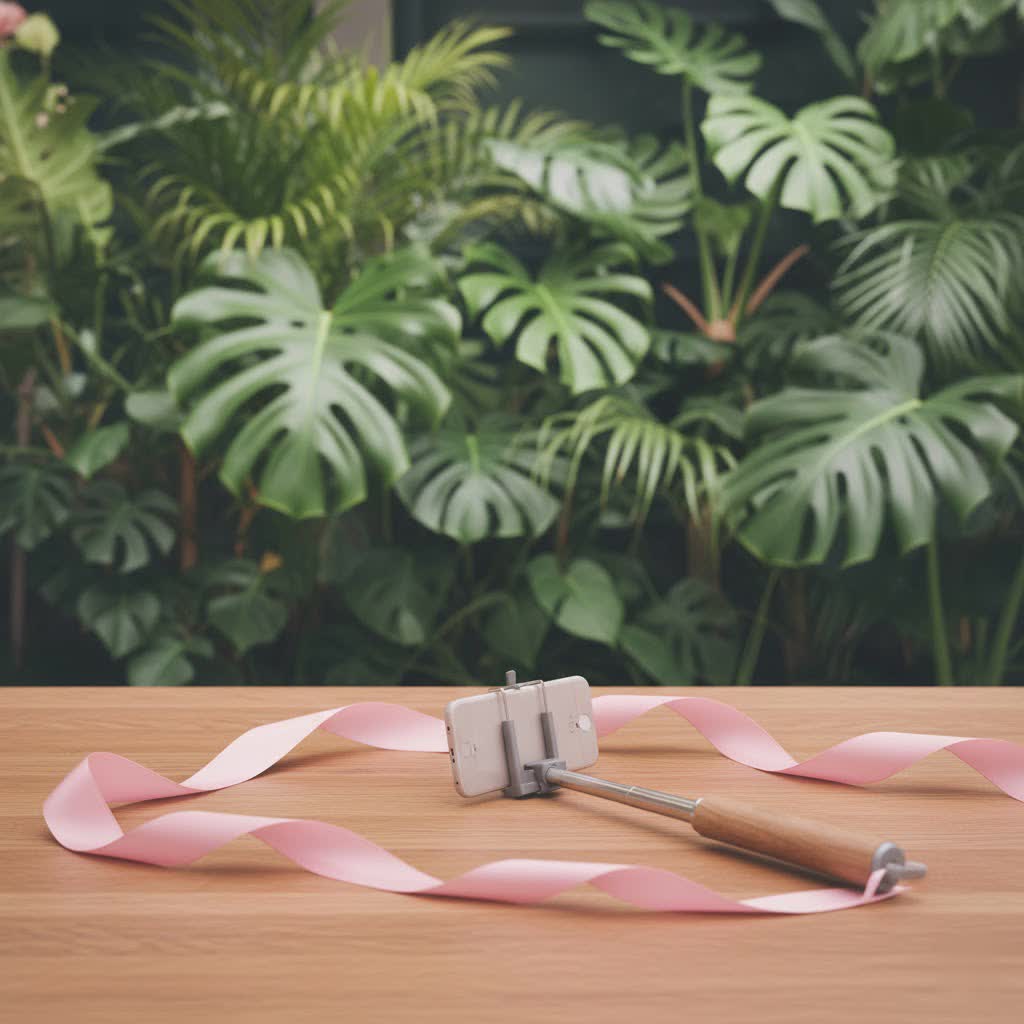
The Magic Behind the “Invisible” Effect
At the heart of the 360 selfie stick’s appeal is its ability to simply vanish from your footage. This isn’t a trick of elaborate editing, but a clever synergy between advanced camera technology and smart design. Most 360 cameras feature two fisheye lenses, each capturing a wide field of view, typically around 200 degrees. When these two images are “stitched” together by the camera’s software, they form a complete 360-degree sphere. The genius of the invisible selfie stick lies in its slender profile, which is specifically designed to fit into a tiny “blind spot” located between these two lenses.
Imagine a sliver of space directly beneath the camera body that neither lens can fully see. By placing the slim selfie stick in this precise zone, and with the help of sophisticated stitching algorithms in your camera’s app or desktop software, the stick is seamlessly removed from the final photo or video. The result? Your 360 camera appears to float independently, offering breathtaking third-person views, dynamic follow-cam shots, or even impressive pseudo-drone footage without the need for an actual drone. Traditional selfie sticks, with their bulkier mounts or thicker bodies, would be easily caught within the camera’s expansive view, ruining the illusion.
Choosing Your Perfect 360 Selfie Stick: Key Features to Consider
Selecting the right 360 selfie stick is crucial for unlocking its full potential. With various options available, knowing what to look for will ensure you get a stick that perfectly matches your creative ambitions and shooting style.
Length: Standard vs. Extended for Every Scenario
The length of your 360 selfie stick dramatically impacts the perspective of your shots.
- Standard Length (70cm – 114cm): These are ideal for close-up vlogging, capturing your immediate surroundings, or when you want a compact, portable option. A length of 50-70cm is often recommended for engaging vlogs where you are the primary subject, keeping the camera close enough for personal interaction.
- Extended Length (Up to 3 Meters): For those awe-inspiring “drone-like” aerial shots or wide panoramic views that make your camera seem to be soaring through the air, an extended selfie stick is indispensable. These longer sticks are perfect for capturing expansive landscapes, group shots, or achieving unique angles over obstacles. They offer a significant increase in creative flexibility, making even a simple walk feel cinematic.
|
Our Picks for the Best Selfie Stick in 2026
As an Amazon Associate I earn from qualifying purchases.
|
||
| Num | Product | Action |
|---|---|---|
| 1 | MAGIC JOHN Phone Tripod, Portable Selfie Stick, Pocket Size Tripod for iPhone, Selfie Stick with Detachable Remote Control & 2 Fill Light for Photograph, Live Streaming, Video Recording |

|
| 2 | Phone Tripod Stand with Bluetooth Remote, Selfie Stick for iPhone & Android, One-Click Open Portable Lightweight Tripod for Vlog Travel Photography (White) |
|
| 3 | TONEOF 68\" Magnetic Selfie Stick Tripod with Aluminum Strong Magnetic Holder for Magsafe, 360° Rotatable Travel Phone Tripod Stand with Metal Ring & Rechargeable Remote for iPhone/Android(Beige Gray) |
|
| 4 | ATUMTEK Selfie Stick Tripod, 3-in-1 Extendable Aluminum Phone Tripod with Detachable Bluetooth Remote, Compatible with iPhone 17/16/15/14/13/12/11/11 Pro/XS Max/XR and Samsung Smartphones, Black |
|
| 5 | ULANZI SK27 Extendable Phone Tripod, 61\" Selfie Stick for iPhone, 2 in 1 Adjustable Tripod with Bluetooth Remote Cold Shoe Mount, Portable Phone Stand Lightweight for Travel Photo Video Stream Vlog |
|
| 6 | LỖI |
|
| 7 | SelfieShow Selfie Stick, Extendable Selfie Stick Tripod with Wireless Remote and Tripod Stand, Portable, Lightweight, Compatible with iPhone 15 14 13 12 Pro Xs Max X 8Plus, Samsung Smartphone and More |
|
| 8 | Phone Tripod & Selfie Stick with Remote, Portable, Lightweight for Video Recording Vlog, Extendable Travel Tripod Stand Compatible with iPhone Android, Black, 62\" |
|
| 9 | TONEOF 68\" Magnetic Selfie Stick Tripod with Aluminum Strong Magnetic Holder for Magsafe, 360° Rotatable Travel Phone Tripod Stand with Metal Ring & Rechargeable Remote for iPhone/Android(Black) |
|
| 10 | Selfie Stick Travel Tripod for Cell Phone with Remote Control and Phone Holder, Extendable Selfie Stick for iPhone, iPhone Tripod for Video Recording, 50 Inch, Black |
|
Material & Durability: Built to Last and Perform
The construction material and overall durability are paramount, especially when venturing into dynamic environments.
- Carbon Fiber: Often found in premium and extended 360 selfie stick models, carbon fiber is a fantastic choice. It offers superior strength-to-weight ratio, meaning your stick will be both incredibly lightweight for portability and rigid enough to minimize wobble and vibration, even when fully extended. This rigidity is vital for maintaining the “invisible” effect and ensuring smooth, stable footage.
- Reinforced Tips & Bases: Some cheaper sticks rely solely on glue, which can degrade over time, leading to breakage. Look for sticks with reinforced designs, such as those using pins or more robust attachment mechanisms, to ensure your precious 360 camera remains securely mounted, particularly during high-intensity action scenarios.
Compatibility: A Universal Fit with a Twist
Most 360 selfie sticks are designed with a standard 1/4-inch screw mount, making them universally compatible with a wide range of 360 cameras, including popular models from Insta360, GoPro, and Ricoh. The key, however, is the camera’s thickness. For the “invisible” effect to work, your 360 camera must be thin enough for the stick to fit within its blind spot. While many official brand sticks are guaranteed to work with their respective cameras, third-party options can also be effective if they adhere to the slim design principle.
Integrated Features: More Than Just a Stick
Modern 360 selfie sticks often come packed with extra features that enhance their utility:
- Built-in Tripod (2-in-1): A fantastic feature for stability and versatility, allowing you to quickly convert your selfie stick into a stable tripod for timelapses, stationary shots, or hands-free operation.
- Remote Control: Some advanced models integrate remote controls into the handle, allowing you to start/stop recording, switch modes, or take photos without touching your camera, even when the stick is fully extended.
- Power Bank (Power Selfie Stick): Certain innovative sticks feature a built-in battery, providing crucial extra power to your 360 camera during extended shooting sessions, ensuring you never miss a moment.
Weight & Portability: Finding the Right Balance
Consider the overall weight and collapsed length of the stick. While longer sticks offer greater reach, they can also be heavier. Carbon fiber models strike an excellent balance. For travel or everyday casual use, a lighter, more compact stick that fits easily into your bag is often preferred.
Mastering the Art of 360 Shots with Your Invisible Selfie Stick
Having the right 360 selfie stick is just the beginning; knowing how to use it effectively is where the real magic happens.
Correct Camera Mounting: The Invisible Key
This is perhaps the most critical tip for achieving the invisible effect. When you mount your 360 camera, ensure that its two lenses are perfectly aligned parallel with the stick, right down the middle. Crucially, do not point either lens directly at yourself, as you would with a traditional smartphone selfie stick. Instead, orient the camera so its body is parallel to the stick. The 360 camera captures everything around it simultaneously, so it will still record you and your surroundings perfectly, while keeping the stick hidden. This parallel alignment allows the stick to reside squarely within the camera’s blind spot.
Optimizing Stick Length: Crafting Your Shot
Experiment with different lengths to achieve various cinematic effects:
- Close-Up Vlogging (50-70cm): Keep it relatively short for intimate vlogs, capturing your expressions and immediate reactions clearly.
- Third-Person Follow-Cam (Mid-to-Full Extension): Extend the stick further behind or to the side for dynamic shots that make it look like an unseen entity is following you, perfect for immersive travel videos or action sequences.
- Pseudo-Drone Shots (Maximum Extension): For those stunning aerial perspectives, extend your stick to its maximum length, lifting the camera high above your head. This creates a powerful sense of scale and offers a unique bird’s-eye view, especially effective in open environments.
Creative Angles & Movements: Unleash Your Imagination
Think of your 360 camera on an invisible selfie stick less like a point-and-shoot and more like a versatile boom mic or a floating eye.
- Overhead Shots: Extend the stick straight up for unique top-down perspectives.
- Sliding Shots: Hold the stick low to the ground and glide it forward for smooth, ground-level tracking shots.
- Dramatic Reveals: Start with the stick low and gradually extend it upwards, revealing a landscape or scene in a dynamic, sweeping motion.
- Simulated Drone Takeoffs/Landings: With longer sticks, you can mimic drone movements, lifting the camera from the ground to the sky or vice versa, creating impressive transitions.
As Sarah Jenkins, a seasoned 360 videographer, often says, “An invisible selfie stick isn’t just a tool; it’s your creative partner, allowing your audience to truly immerse themselves in your world. The freedom it provides to frame your shots in post-production is unparalleled, turning every moment into a potential masterpiece.”
Post-Production Magic: The Final Polish
Once you’ve captured your footage, the final step involves importing it into your 360 camera’s dedicated mobile app or desktop software. This software automatically stitches the dual-lens footage together and, most importantly, eliminates the 360 selfie stick from view. From there, you can reframe your 360 footage into traditional flat videos, extract stunning panoramic photos, or share the full interactive 360 experience.
Maintaining Your 360 Selfie Stick for Lasting Adventures
Just like any essential gear, a little care goes a long way in ensuring your 360 selfie stick remains a reliable companion.
- Cleaning: After use, especially in sandy, dusty, or wet environments, gently wipe down your stick with a damp cloth to remove any grime. Ensure it’s completely dry before collapsing and storing it.
- Drying: If your stick gets wet, fully extend it and allow it to air dry thoroughly before collapsing it to prevent rust or mildew in the internal mechanisms.
- Storage: Store your selfie stick in a clean, dry place, ideally in a protective sleeve or case, to prevent scratches and impact damage.
- Regular Checks: Periodically inspect the screw mount, locking mechanisms, and the general integrity of the stick for any signs of wear, bending, or damage. Address minor issues promptly to prevent major malfunctions.
Frequently Asked Questions (FAQ)
Q: Can I use a regular selfie stick with my 360 camera?
A: While you can physically attach a 360 camera to a regular selfie stick, the stick will almost certainly be visible in your footage. Regular selfie sticks are typically too thick to fit into the “blind spot” between the 360 camera’s lenses, thus preventing the “invisible” effect.
Q: Do all 360 cameras support the invisible selfie stick effect?
A: Most popular consumer-grade 360 cameras (like those from Insta360, GoPro Max, Ricoh Theta) are designed to work with invisible selfie sticks. However, single-lens cameras or older 360 models might not achieve the same effect. Always check your camera’s specifications.
Q: What’s the best length for a 360 selfie stick?
A: The “best” length depends on your primary use. For vlogging and general use, a stick around 70-114cm is versatile. For drone-like shots and expansive views, an extended stick (up to 3 meters) is ideal. Many creators own both for maximum flexibility.
Q: How do I make sure the stick disappears in my footage?
A: The key is correct camera mounting: ensure the camera’s two lenses are perfectly aligned parallel with the stick, placing the stick directly within the camera’s thin blind spot. Also, make sure to process your footage using the official camera app or desktop software, which handles the automatic stitching and stick removal.
Q: Are 360 selfie sticks waterproof?
A: While many 360 cameras are waterproof, the selfie sticks themselves may not be. Check the manufacturer’s specifications for your specific stick regarding water resistance. Even if water-resistant, it’s always best to rinse with fresh water and dry thoroughly after saltwater exposure.
Q: Is carbon fiber worth the extra cost for a 360 selfie stick?
A: Absolutely, especially for extended sticks or when shooting in active scenarios. Carbon fiber offers superior rigidity, reducing unwanted flex and vibrations that can lead to visible stick issues or shaky footage. It’s also significantly lighter, making it easier to hold and carry for longer periods.
Elevate Your Storytelling
The 360 selfie stick is more than just a piece of equipment; it’s a gateway to new creative possibilities. It allows you to break free from traditional camera angles, offering your audience a truly immersive and engaging viewing experience. From capturing breathtaking drone-like perspectives in restricted areas to creating seamless follow-cam footage that puts viewers right in the action, the potential is limitless. So, go ahead, choose the right 360 selfie stick for your adventures, learn to wield it like a pro, and start transforming your everyday moments into extraordinary stories. The world is your canvas, and your invisible selfie stick is ready to paint it in 360 degrees. Experiment, explore, and share your unique vision with the world!
