Hey there, fellow photography enthusiasts! As a seasoned pro and the resident tech guru here at Spaod.com, I’ve spent over a decade with every gadget imaginable, and the Smartphone Selfie Stick remains one of my absolute favorites. It’s more than just a novelty; it’s a powerful extension of your creative vision, transforming everyday moments into captivating memories. If you’ve ever struggled with awkward arm extensions or wished for that perfect wide-angle group shot, then mastering your smartphone selfie stick is your next big step. Let’s dive in and unlock its full potential, turning you into a selfie-taking maestro!
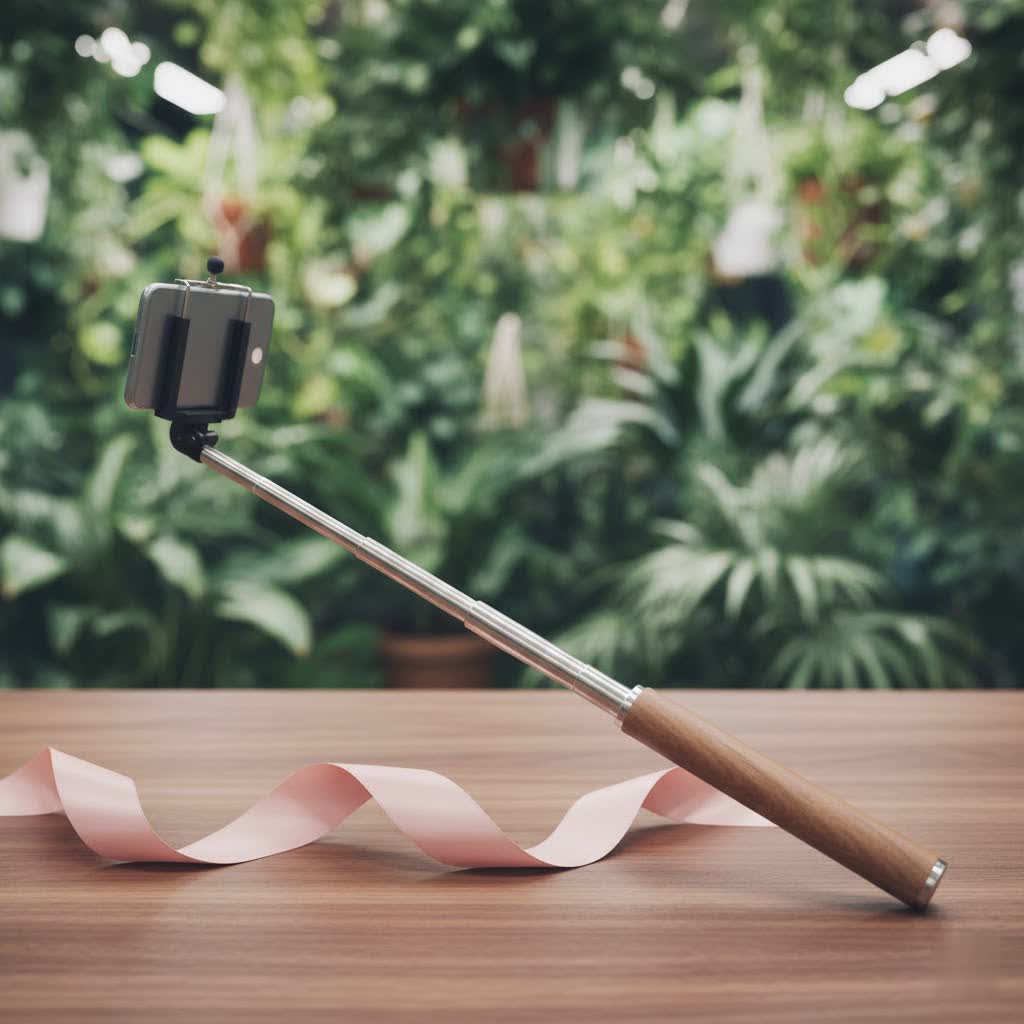
The Evolution of the Selfie: Why a Smartphone Selfie Stick is Your Essential Companion
Remember when taking a selfie meant stretching your arm to its absolute limit, often resulting in a partially cropped face or a missing friend from the frame? The advent of the smartphone selfie stick revolutionized personal photography, granting us the freedom to capture wider landscapes, include more people, and explore unique perspectives that were previously impossible without a dedicated photographer. It’s not just about self-portraits; it’s about telling a more complete story from your unique viewpoint. Whether you’re a globetrotter documenting epic adventures, a vlogger seeking stable footage, or simply someone who loves sharing life’s candid moments, a reliable smartphone selfie stick is an indispensable tool in your kit.
Decoding the Types of Smartphone Selfie Sticks
The world of selfie sticks has evolved far beyond a simple extendable pole. Today, you’ll find a diverse range, each designed to cater to different needs and shooting styles. Understanding these distinctions is crucial for choosing the perfect companion for your smartphone.
Wired vs. Bluetooth: Connectivity Unpacked
When it comes to triggering your smartphone’s shutter, selfie sticks typically offer two main methods:
- Wired Selfie Sticks: These older models connect directly to your phone’s 3.5mm headphone jack. The main advantage is that they draw power from your phone, meaning no extra batteries to worry about for the stick itself. However, with many modern smartphones ditching the headphone jack, their compatibility is becoming increasingly limited.
- Bluetooth Selfie Sticks: This is the most prevalent and recommended type today. They pair wirelessly with your smartphone, offering greater freedom of movement and often featuring a detachable remote control. This allows you to stand further back and still snap photos or start videos with ease. The trade-off? You’ll need to remember to charge the stick’s internal battery, though many offer impressive battery life, sometimes capable of thousands of shots on a single charge.
|
Our Picks for the Best Selfie Stick in 2026
As an Amazon Associate I earn from qualifying purchases.
|
||
| Num | Product | Action |
|---|---|---|
| 1 | TONEOF 68\" Magnetic Selfie Stick Tripod with Aluminum Strong Magnetic Holder for Magsafe, 360° Rotatable Travel Phone Tripod Stand with Metal Ring & Rechargeable Remote for iPhone/Android(Beige Gray) |

|
| 2 | LỖI |
|
| 3 | ULANZI SK27 Extendable Phone Tripod, 61\" Selfie Stick for iPhone, 2 in 1 Adjustable Tripod with Bluetooth Remote Cold Shoe Mount, Portable Phone Stand Lightweight for Travel Photo Video Stream Vlog |
|
| 4 | ATUMTEK Selfie Stick Tripod, 3-in-1 Extendable Aluminum Phone Tripod with Detachable Bluetooth Remote, Compatible with iPhone 17/16/15/14/13/12/11/11 Pro/XS Max/XR and Samsung Smartphones, Black |
|
| 5 | Selfie Stick Travel Tripod for Cell Phone with Remote Control and Phone Holder, Extendable Selfie Stick for iPhone, iPhone Tripod for Video Recording, 50 Inch, Black |
|
| 6 | TONEOF 68\" Magnetic Selfie Stick Tripod with Aluminum Strong Magnetic Holder for Magsafe, 360° Rotatable Travel Phone Tripod Stand with Metal Ring & Rechargeable Remote for iPhone/Android(Black) |
|
| 7 | SelfieShow Selfie Stick, Extendable Selfie Stick Tripod with Wireless Remote and Tripod Stand, Portable, Lightweight, Compatible with iPhone 15 14 13 12 Pro Xs Max X 8Plus, Samsung Smartphone and More |
|
| 8 | Phone Tripod Stand with Bluetooth Remote, Selfie Stick for iPhone & Android, One-Click Open Portable Lightweight Tripod for Vlog Travel Photography (White) |
|
| 9 | MAGIC JOHN Phone Tripod, Portable Selfie Stick, Pocket Size Tripod for iPhone, Selfie Stick with Detachable Remote Control & 2 Fill Light for Photograph, Live Streaming, Video Recording |
|
| 10 | Phone Tripod & Selfie Stick with Remote, Portable, Lightweight for Video Recording Vlog, Extendable Travel Tripod Stand Compatible with iPhone Android, Black, 62\" |
|
The Tripod Hybrid: Stability Meets Reach
Many contemporary smartphone selfie sticks come with integrated tripod legs that fold out from the base. This “3-in-1” design is a game-changer for versatility. When collapsed, it functions as a traditional selfie stick, providing extended reach for dynamic handheld shots. But with the legs deployed, it transforms into a stable mini-tripod, perfect for group photos, time-lapses, or stable video recording without the need to hold it. Look for models with sturdy, anti-slip tripod feet for maximum stability, especially on uneven surfaces. This hybrid design is a favorite among vloggers and travelers who need adaptability on the go.
Gimbals & Advanced Stabilizers: For the Serious Creator
For those aiming for buttery-smooth video footage and professional-grade stabilization, a smartphone gimbal that doubles as a selfie stick is the ultimate upgrade. Devices like the DJI OM series or Insta360 Flow actively counteract shaky movements, delivering incredibly fluid video that static selfie sticks simply can’t match. While often more expensive and requiring more charging, their ability to transform your phone into a cinematic tool is unparalleled for serious content creators. Some even offer smart tracking features, keeping you in frame automatically.
The “Invisible” Stick: A Magic Trick for 360 Cameras
A specialized category, “invisible” selfie sticks are designed specifically for 360-degree cameras. When paired with the right camera, these sticks are digitally removed from the final 360-degree photo or video, creating the illusion that your camera is floating in mid-air. While not directly for traditional smartphone photography, they represent the pinnacle of innovative selfie stick design for immersive content.
What to Look For: Your Ultimate Smartphone Selfie Stick Buying Guide
Choosing the right smartphone selfie stick can feel overwhelming with so many options. After years of testing countless models, I’ve distilled the essential factors you need to consider to make an informed decision.
Length and Portability: Finding Your Sweet Spot
A good smartphone selfie stick strikes a balance between portability when folded and impressive reach when extended. Most sticks collapse to a compact size, often around 8 inches, making them easy to slip into a backpack or even a larger pocket. When extended, a length between 30 to 40 inches is generally ideal, allowing you to capture expansive backgrounds or include a larger group without distortion. Anything shorter might limit your creative angles, while overly long sticks can become unwieldy and less stable.
Build Quality and Durability: A Foundation You Can Trust
This is paramount. A flimsy selfie stick not only yields shaky photos but also risks damaging your precious smartphone. Prioritize sticks made from robust materials like stainless steel or aluminum. These materials offer superior durability, corrosion resistance, and stability, even in various weather conditions. Avoid cheap plastic alternatives that can break easily or sag under the weight of your phone. The locking mechanisms for extension sections should feel secure and easy to operate.
Secure Your Shot: The Importance of a Reliable Phone Clamp
Your phone’s safety literally rests in the clamp. Look for a phone holder that is adjustable in width to securely accommodate your specific smartphone model and size. Rubberized grips are essential to prevent scratches and provide a firm hold. While spring-based clamps are common and convenient, some premium models feature a screw-tightened mechanism for an even more secure grip, which is especially reassuring during active use or with heavier phones. Ensure the clamp allows for both portrait and landscape orientation and offers a good range of rotation (270-360 degrees horizontal, 180 degrees vertical) for maximum flexibility.
Remote Control: Hands-Free Creativity
A remote shutter button is a non-negotiable feature for any modern smartphone selfie stick. Most are Bluetooth-enabled and often detachable, allowing you to trigger your camera from a distance. This is incredibly useful for tripod shots, group photos where you want to be in the frame, or simply avoiding camera shake when pressing the shutter directly on your phone. Check for intuitive button placement and reliable connectivity.
Battery Life and Charging: Powering Your Adventures
If you opt for a Bluetooth-enabled selfie stick or a gimbal, battery life is a key consideration. Look for models with long-lasting rechargeable lithium batteries. Some can offer enough power for thousands of photos on a single charge. Most charge via a standard micro-USB or USB-C port, making it easy to power up on the go.
Extra Features That Elevate Your Experience
Beyond the basics, some smartphone selfie sticks offer compelling additional features:
- Cold Shoe Mounts: For attaching accessories like external microphones or LED lights, crucial for vlogging.
- Integrated Ring Lights: Some sticks include built-in LED ring lights for flattering illumination, especially in low-light conditions.
- Mirrors: A small mirror on the clamp allows you to frame your shot accurately using your phone’s superior rear camera.
- Power Bank Functionality: A few advanced sticks double as a portable power bank, letting you charge your phone while you shoot.
Choosing wisely means considering how you’ll primarily use the stick and prioritizing features that align with your creative workflow.
Mastering the Art: Tips for Stunning Photos & Videos with Your Smartphone Selfie Stick
Owning a great smartphone selfie stick is only half the battle; knowing how to use it effectively is where the real magic happens. As a content creator for Spaod.com, I’ve picked up some invaluable tips over the years to help you capture truly stunning photos and videos.
Harnessing the Power of Light
Lighting is the cornerstone of any great photograph. For selfies, natural light is your best friend. Position yourself so the light source (like the sun or a window) is in front of you, illuminating your face evenly and minimizing harsh shadows. Avoid shooting directly into bright light sources, which can silhouette you, or standing with a strong light directly behind you, which can make your features appear dull or shadowy. If you’re indoors and natural light is scarce, consider a selfie stick with an integrated ring light or use external portable lighting for soft, diffused illumination.
Angles Make All the Difference
The beauty of a smartphone selfie stick is the ability to break free from static arm-length shots. Experiment with different angles:
- Slightly Above Eye Level: Often considered the most flattering angle, it can give the illusion of a slimmer face and highlight your features.
- Wider Perspectives: Extend the stick to capture more of your surroundings, placing yourself off-center for a dynamic composition that tells a fuller story.
- Low Angles: While sometimes unflattering for faces, a low angle can create dramatic effects, making subjects appear grander or capturing unique architectural details.
- Avoid Extreme Angles: Be mindful of angles that might distort your facial features or make the stick itself too prominent in the frame.
“The secret to a compelling selfie isn’t just about showing your face; it’s about showcasing your world from a fresh perspective,” advises Clara Thorne, a renowned travel photographer and digital nomad. “A quality smartphone selfie stick allows you to play with elevation and distance, turning an ordinary scene into an extraordinary backdrop.”
Frame Your World: Composition and Background
A great selfie isn’t just about you; it’s about the entire scene. Take a moment to compose your shot:
- Check Your Background: Scan your surroundings for interesting elements or distracting clutter. A clean, uncluttered background helps keep the focus on your subject.
- The “Invisible” Stick Trick: If you want to minimize the appearance of the stick, try angling the camera so the stick is minimally visible or use framing tricks. Some editing apps can even help you remove it.
- Group Shots: When taking group photos, extend the stick enough to comfortably fit everyone in the frame without anyone feeling squished or cut off.
Stability is Key: Say Goodbye to Blurry Shots
Blurry photos are a common frustration. Here’s how to ensure sharpness:
- Moderate Extension: While tempting to fully extend, sometimes a slightly shorter length provides greater stability, reducing wobble.
- Use the Tripod Function: If your stick has integrated tripod legs, deploy them whenever possible for static shots or video. This eliminates camera shake entirely.
- Remote Shutter or Timer: Always use your Bluetooth remote or your phone’s self-timer function (e.g., 3 or 5 seconds) to trigger the shutter. Pressing the button on your phone directly can introduce subtle movements that lead to blur.
- Secure Phone Mount: Double-check that your smartphone is firmly and evenly secured in the clamp before every shot to prevent slips or crooked photos.
Unleash Your Creativity: Beyond the Basic Selfie
Your smartphone selfie stick is a versatile tool for much more than just a quick selfie:
- Action Shots: Capture dynamic movement by holding the stick steady while panning it quickly, creating a sense of energy in your photos or videos.
- Unique Perspectives: Hold the stick high for a drone-like aerial view or low to the ground for an interesting worm’s-eye perspective that can make legs look longer.
- Time-Lapses: Combine your selfie stick’s tripod function with your phone’s time-lapse mode to capture stunning transitions like sunsets or bustling cityscapes.
- Vlogging: For stable walk-and-talk videos, a selfie stick (especially one with a gimbal) provides a natural extension to keep your footage smooth and engaging.
By integrating these tips, you’ll not only take better selfies but truly master the art of smartphone photography with your trusty selfie stick.
Keeping Your Gear Prime: Essential Maintenance for Longevity
To ensure your smartphone selfie stick serves you well for countless photo opportunities, a little care goes a long way. After all, it’s an investment in your creative output!
- Clean Regularly: Dust, dirt, sand, and even fingerprints can accumulate on your stick and its components. Use a soft, dry cloth to wipe down the pole, handle, and especially the phone clamp. For rubberized parts, a slightly damp cloth can help remove grime, but ensure it’s completely dry before storing.
- Proper Storage: When not in use, always collapse your selfie stick to its shortest length. Store it in a protective pouch or compartment to prevent scratches, dings, or dust buildup. Avoid leaving it exposed to extreme temperatures or direct sunlight for prolonged periods, which can degrade materials.
- Battery Care (for Bluetooth/Gimbal Models): For models with internal batteries, follow these guidelines:
- Charge Regularly: Don’t let the battery completely drain for extended periods. Charge it periodically, even if you haven’t used it recently, to maintain battery health.
- Avoid Overcharging: Once fully charged, disconnect the charger.
- Use the Right Charger: Always use the charger provided or one with compatible specifications to prevent damage.
- Inspect Moving Parts: Periodically check the extension locks, rotational joints, and phone clamp mechanism for any signs of wear, looseness, or obstruction. If anything feels stiff, a tiny bit of silicone lubricant (sparingly applied) can help, but avoid oil-based lubricants near plastics or rubber.
- Protect from Elements: If using your stick in wet, sandy, or dusty environments, take extra precautions. Wipe it down immediately afterward to prevent corrosion or grit from affecting its mechanisms.
By integrating these simple maintenance routines, your smartphone selfie stick will remain a reliable companion for all your capturing needs.
Frequently Asked Questions About Smartphone Selfie Sticks
Q1: How far should my smartphone selfie stick extend?
A good smartphone selfie stick should extend to at least 30-40 inches to allow for wide-angle shots and group photos. When collapsed, it should be compact, ideally around 8-10 inches, for easy portability.
Q2: Is a Bluetooth selfie stick better than a wired one?
Generally, yes. Bluetooth selfie sticks offer wireless convenience, often with a detachable remote, allowing greater flexibility and compatibility with modern smartphones that often lack a 3.5mm headphone jack. Wired sticks are less versatile but don’t require battery charging for the stick itself.
Q3: Can I use my smartphone selfie stick with other cameras?
Many smartphone selfie sticks are designed primarily for phones, but some come with interchangeable mounts or a standard 1/4″-20 tripod screw, allowing them to also hold compact cameras or action cameras like GoPros. DSLR or larger mirrorless cameras are typically too heavy.
Q4: How do I hide the selfie stick in my photos?
To minimize the stick’s visibility, try angling your smartphone so the stick is mostly behind the phone, or use careful framing. For 360-degree cameras, specialized “invisible” selfie sticks are designed to be digitally removed from the final image.
Q5: What’s the best way to clean my smartphone selfie stick?
Use a soft, dry cloth to wipe down the pole and handle. For rubberized clamps, a slightly damp cloth can be used, ensuring it’s completely dry afterward. Avoid harsh chemicals. Regular cleaning prevents dust and grime buildup, extending its lifespan.
Capture Your World, Your Way
There you have it! From selecting the perfect model to mastering creative angles and ensuring its longevity, your smartphone selfie stick is poised to become an indispensable tool in your photographic arsenal. It’s about more than just a quick snapshot; it’s about empowering you to tell your unique story, capture breathtaking vistas, and include everyone in those cherished group memories. So go ahead, extend that reach, find your perfect light, and confidently click that shutter. At Spaod.com, we’re dedicated to helping you elevate your content and make every shot count. Now, get out there and start creating!
